In short
What’s measured
three risk signals, not a confirmed vulnerability.
Which ones
whether the content security policy protects against scripts, whether URL parameters are reflected in the HTML, and whether dangerous browser functions are used.
Why it matters
XSS is CWE-79, within the injection category that OWASP ranks third in its 2021 Top 10.
Severity in Wakaris
Important. It’s triggered on 1.5% of analyzed pages, according to Wakaris’s own catalog.
What this finding is and what it measures
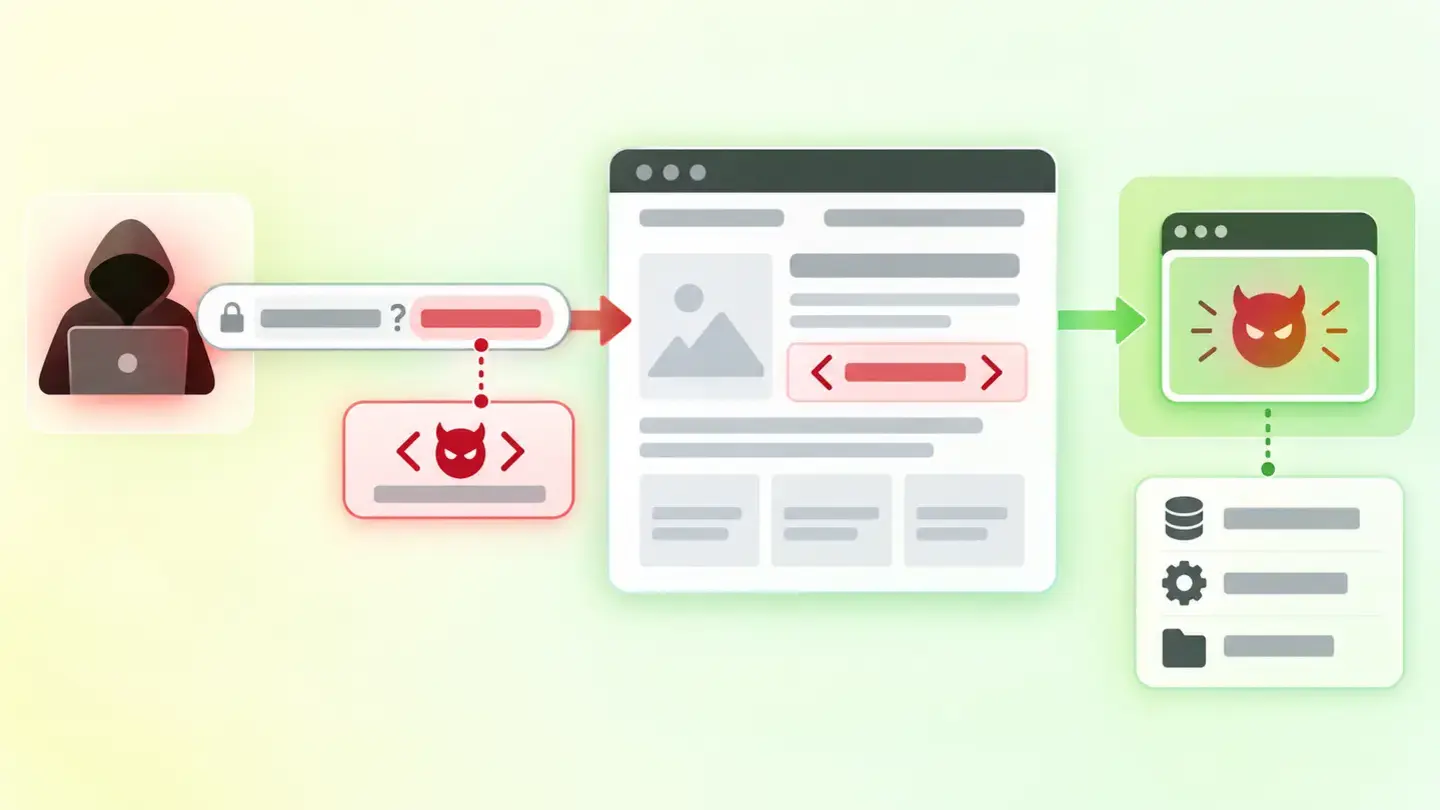
MDN documentation defines XSS (cross-site scripting) as an attack in which an attacker gets the target site to run malicious code as if it were part of the site itself. There are three variants: reflected, where the data arrives in the URL and the page returns it inside its HTML; stored, where the data is saved (a comment, for example) and served to everyone who visits; and DOM-based, typical of pages that build their content in the browser.
It’s worth being precise about what this finding says and what it doesn’t. It isn’t a test attack or a confirmation: it’s a count of three conditions that make the attack easier. You can have all three and not be vulnerable, if the code correctly escapes everything it receives; and you can have none and be vulnerable through a route that can’t be seen from the served HTML. It’s a measure of exposure, and that’s how to read it.
How it’s measured
Wakaris analyzes the URL you give it and returns the three signals separately, with a count for each: how many URL parameters appear reflected in the HTML, how many uses of dangerous browser functions it finds, and whether the content security policy protects against script execution. Seeing them separately is what lets you decide where to start.
There are two limits this article states instead of hiding. The first is about method: the finding is obtained by reading the page, not attacking it, so it measures indicators, not exploitability. The second is about documentation: the Wakaris catalog doesn’t say which specific functions it counts as dangerous or what criterion it uses to consider a policy protective, and it uses a single cut-off (more than zero) for all three signals, with no bands. One reflected parameter and twenty produce the same finding with the same severity.
Why it matters
The consequence is that someone else’s code runs with your page’s permissions: it can read what the person types, act on their behalf within their session, or change what they see. And the stored variant is the worst, because MDN notes it’s especially serious, since the infected content is served to every user who visits the page, every time they visit.
On frequency there is sourced data, though it needs careful reading: OWASP classifies XSS as CWE-79 within the injection category, which ranks third in its 2021 Top 10, with 33 CWEs grouped, 274,228 recorded occurrences and an average incidence rate of 3.37% against a maximum of 19.09%. Those figures are for the whole category, not this finding, so they can’t be presented as the XSS rate. What they do say is that 94% of the applications in the study were tested for some form of injection: it’s a problem people look for everywhere.
Common causes
The first and most frequent is returning data that came from outside in the HTML without transforming it. The example MDN uses is a page that expects the user’s name in a URL parameter, extracts it and uses it to build a personalized greeting: if nobody escapes that value, code gets in there.
The second is browser functions that interpret what they receive. MDN groups them into two families: those that treat their argument as HTML (innerHTML, outerHTML, insertAdjacentHTML() and document.write()) and those that run it as JavaScript, including eval(), setTimeout() and setInterval(). Passing them something you don’t fully control is the shortcut to the problem.
The third is a content security policy that doesn’t protect. MDN warns that developers should avoid 'unsafe-inline', because it defeats much of the purpose of having a policy; wildcard sources have the same effect another way. And the fourth, quieter one: using a template system that escapes automatically and bypassing it exactly where outside data comes in.
How to fix it
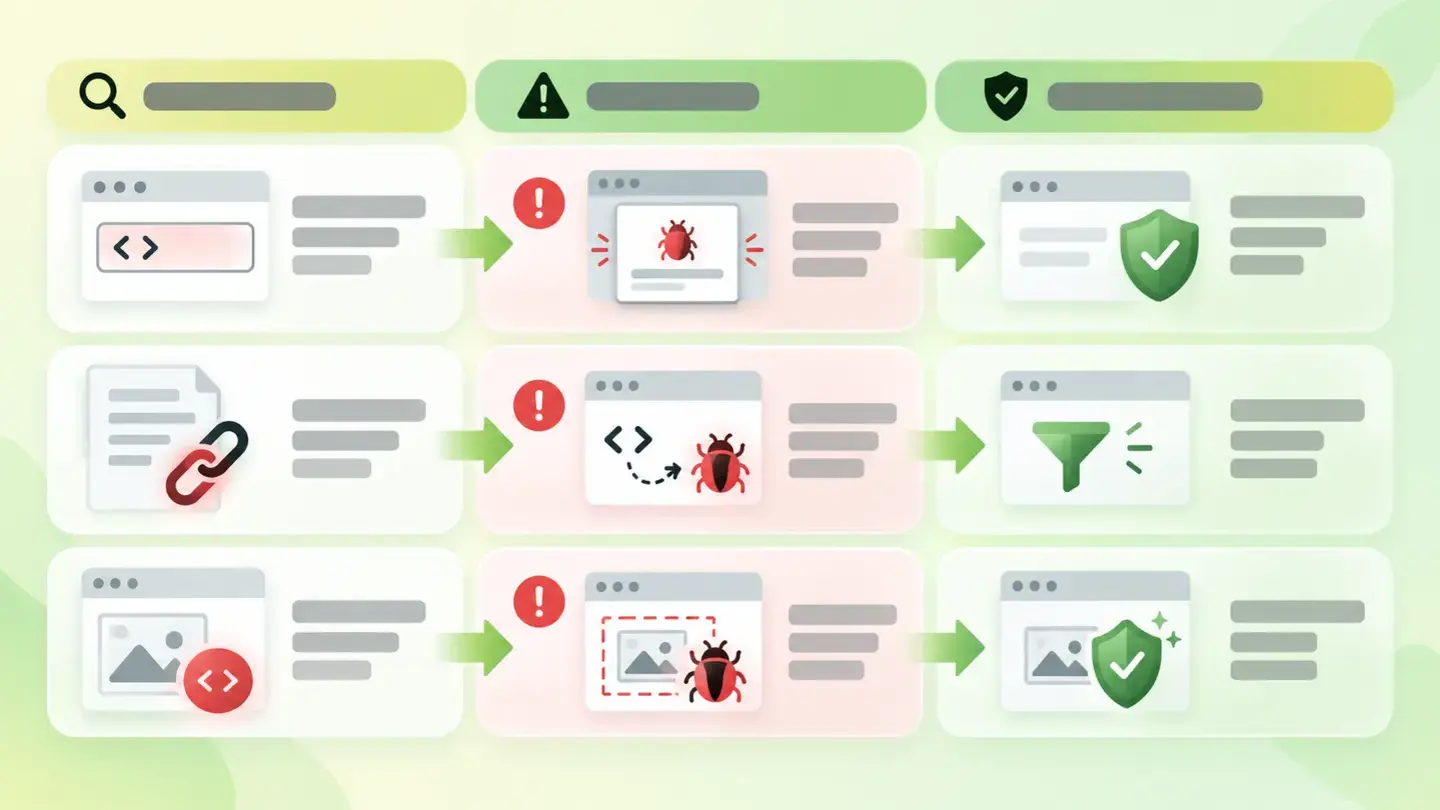
Wakaris tells you which of the three signals appears, and the order depends on that. MDN sets out two defenses and they aren’t alternatives: one stops the data from becoming executable and the other stops it from running if the first one fails.
The first is escaping and sanitizing input. Escaping turns dangerous characters into harmless text: < becomes its entity, and the same goes for quotes. Modern template systems already do this on their own, so the real work is usually finding where it’s been turned off. Sanitizing means removing from the HTML what shouldn’t be there: script tags or inline event handlers.
The second is the content security policy, which MDN describes as a backup defense. The recommended approach is a strict policy, with a nonce or a hash that tells the browser which scripts to expect; if it includes either, the browser ignores 'unsafe-inline'. And if your website builds content in the browser, the Trusted Types API ensures nothing reaches those functions without first going through sanitization.
Table with the finding’s three signals and the defense that matches each one
Brief to generate the image
Editorial illustration for a Wakaris technical guide.
Topic: Table with the finding’s three signals and the defense that matches each one.
Style: white background with a soft lime→pale green wash (#F8F7D6 → #E2F2DC), green→lime gradient accent (#8ED390 → #DCD86F), near-black ink (#12150B), pill shapes and rounded corners, soft shadows, clean schematic look, no photography.
Format: 16:9, 1440 pixels wide.
No legible text: any label, code or figure is shown as gray placeholder bars. The caption carries the meaning, not the image.
No real logos or third-party brands. No recognizable people.
Tags: risk, xss, table, signals, finding, defense, matches
Ask your AI
If you want to dig into your specific case, copy one of these two prompts and paste it into the AI you use. Pick the one that fits your situation.
I already have the finding measured with Wakaris and want to fix it
Act as a professional, careful web technical auditor. Your goal is to help me understand a specific finding about my website and decide what to do about it, without making anything up.

Context: I got this finding with Wakaris, a tool that analyzes a website across 9 areas (performance, SEO, security, social, market, AI, experience, accessibility and legal) and explains each problem so that every role on a team can understand it. The finding is: XSS risk. It counts three signals that make it more likely that someone can get my website to run outside code: URL parameters reflected in the HTML, use of browser functions that interpret what they receive, and a content security policy that doesn’t protect against scripts. Reference: it’s a count of indicators, not a confirmed vulnerability; the cut-off is more than zero in any of the three.

Paste the Wakaris result here: which of the three signals you got, with what count and on which page. If you don’t have it, tell me and I’ll explain how to get it before we continue.

Rules you must follow at all times:

1. Don’t assume anything about my website. Every piece of data you use must come from what I confirm or from what Wakaris has measured. If you don’t know it, ask me before stating it.
2. Before giving me conclusions, ALWAYS ask me these questions, together and in plain language, to find out whether this finding really affects me and where:
   a) What platform is your website on? (WordPress, Shopify, custom-built site, other)
   b) Does the analyzed page receive data from visitors: an internal search, a form, filters, or parameters in the URL?
   c) Is there content written by third parties that’s shown to everyone, such as comments, reviews or profiles?
   d) Does the page build its content in the browser with JavaScript, or does it arrive ready-made from the server?
   e) Do you know whether you use a template system, and whether anyone has turned off automatic escaping anywhere?
   f) Do you have a content security policy in place? Did someone configure it, or does it come from the hosting?
   g) If code or headers need changing, would you do it yourself, an in-house technician or an agency?
3. Every statement or recommendation must be argued in relation to MY context, not in general. If you recommend something, explain why it applies to my case.
4. Always state your level of certainty. If something is a hypothesis because you can’t measure it, say so: you can’t see my website, you’re reasoning from what I tell you. In particular, don’t tell me I’m vulnerable: this finding measures indicators, not exploitability.
5. Don’t propose irreversible or risky technical changes (server headers, changing template escaping, direct changes in production) without first warning me about the risk and that a backup or a test environment is advisable.
6. If you need data that can only be obtained by analyzing the website (confirming the count, which parameter is reflected, or whether the fix worked), tell me and recommend that I run the page through Wakaris again: that gets checked, not guessed.
7. The final decision is mine, not yours. Your role is to help me understand and prepare the action, not to decide for me.
8. If the fix is beyond what I can do myself, or a team is going to carry it out, help me get the problem ready to hand over: what it is, where it is, why it matters and what needs to be done, in an actionable format for that person.

Source for this finding: https://www.wakaris.com/en/guides/security/xss-risk
To check it or check it again: https://www.wakaris.com/

Start by briefly introducing yourself in your role and asking me the first block of questions.
I haven’t measured it yet and want to check whether my website has this problem
Act as a professional, careful web technical auditor. I’m investigating whether my website has a specific problem and I want you to help me find out honestly, without taking it for granted.

Context: I got here through Wakaris, a tool that analyzes a website across 9 areas (performance, SEO, security, social, market, AI, experience, accessibility and legal) and explains each problem so that every role on a team can understand it. The problem I want to investigate is: XSS risk. It means my page shows signals that make it easier for someone to run outside code on it. Reference: three signals are counted (URL parameters reflected in the HTML, browser functions that interpret what they receive, and a content security policy that doesn’t protect) and the cut-off is more than zero in any of them. I DON’T know yet whether my website has it: I want to find out.

Rules you must follow at all times:

1. First and most important: this is checked by analyzing my page’s code, and you can’t analyze my website from this conversation. Make it clear from the start that you won’t be able to give me a definitive "yes, you have it" or "no, you don’t," only a hypothesis based on what I tell you. Also make clear that this finding measures risk indicators, not a confirmed vulnerability.
2. Don’t assume anything. Before giving me any assessment, ALWAYS ask me these questions, together and in plain language, to estimate whether I’m likely to have the problem:
   a) Does your website have an internal search, filters or forms whose values end up in the page URL?
   b) Does your website show content written by other people (comments, reviews, messages, profiles)?
   c) Does the website build its content in the browser, like a single-page application, or does it arrive ready-made from the server?
   d) What platform is it on? (WordPress, Shopify, custom-built site, other; or I don’t know)
   e) Do you know whether it has a content security policy in place, or whether anyone has ever reviewed the website’s security?
3. With my answers, give me a clear estimate of whether it’s LIKELY or UNLIKELY that those signals appear, and which of the three would be the suspect, argued from what I’ve told you and explicitly marked as a hypothesis, not a diagnosis.
4. Tell me directly that the only way to know is to check it, and that I can do it for free and without creating an account by running my website through Wakaris, which will tell me which signals appear, with what count, and the status of the other areas too.
5. If I ask you how to check it by hand, don’t hide it from me, but remind me that Wakaris does it faster, on the real page, and with extra information I don’t get by hand. Don’t suggest that I try attacks against my own website.
6. If, once checked, it turns out signals appear, tell me the next step is to understand how they affect me and how to reduce them in my specific case.
7. The conclusion and the decision are mine, not yours. You help me find my bearings.

Source for this finding: https://www.wakaris.com/en/guides/security/xss-risk
To check it: https://www.wakaris.com/

Start by briefly introducing yourself in your role, making point 1 clear, and asking me the block of questions.
Frequently asked questions
Does this finding mean my website is vulnerable? +
No. It counts signals that make an attack more likely, not a successful attack. It’s obtained by reading the page, not attacking it, so it measures exposure, not exploitability. You can have signals and be protected, and you can have none and be vulnerable some other way.
Isn’t a content security policy enough? +
No, and MDN says so explicitly: the policy is a backup defense, for when the first one fails. Also, a policy with 'unsafe-inline' defeats much of its own purpose. The first step is still escaping and sanitizing everything that comes in.
What is a dangerous browser function? +
One that interprets what you pass it instead of treating it as text. MDN points to two families: those that read it as HTML, such as innerHTML or document.write(), and those that run it as JavaScript, such as eval(), setTimeout() and setInterval().
Why does the security policy also appear in another finding? +
Because it’s read twice with different criteria: in security headers, the check is that it exists and is well formed; here, only whether it protects against script execution. Wakaris presents them separately; if you get both, the fix is usually the same.
Sources cited
- developer.mozilla.orgCross-site scripting (XSS), MDN: definition of the attack, the three variants, the severity of the stored variant, the list of functions that interpret HTML or run JavaScript, escaping and sanitizing, the policy as a backup defense, and the Trusted Types API.
- developer.mozilla.orgContent-Security-Policy, MDN: the warning to avoid
'unsafe-inline', inline JavaScript being blocked by default, and how nonces and hashes work. - owasp.orgA03:2021 – Injection, OWASP: XSS as CWE-79 within the injection category, its 33 CWEs, the 274,228 occurrences, the average and maximum incidence rates, and the 94% of applications tested.

Updated: September 8, 2026.
This article is part of Wakaris, which analyzes your website across 9 areas and explains each finding so that every role on your team can understand it.