In short
What is checked
whether the server and its version, the content management system and its version, and the language or framework behind it are exposed.
When it fails
when any of the three appears; the result distinguishes whether only the technology is visible or also the exact version.
Why it matters
MDN warns that this detail can make known vulnerabilities easier to detect.
Severity in Wakaris
Important. It fails on 95% of the pages analyzed.
What this finding is and what it checks
This finding shows up when your website publishes details about its own technology for no reason. It isn’t a configuration error that breaks anything: it’s too much information.
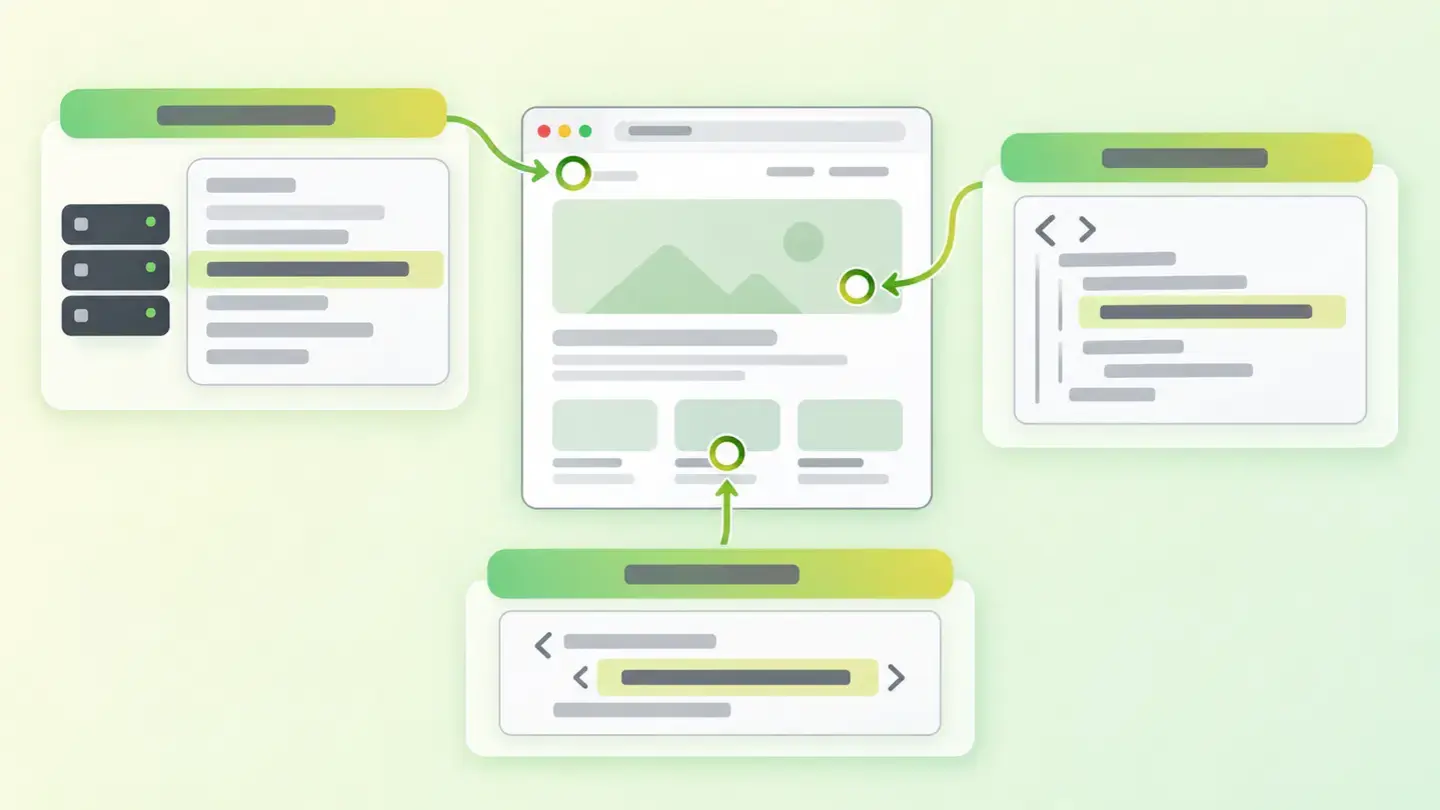
Wakaris looks at three things. The first is the server and its version, which travels in the response’s Server header. MDN defines it as the header describing the software of the origin server that handled the request, and its example is as explicit as Apache/2.4.1 (Unix). The second is the content management system and its version, which usually gives itself away inside the HTML, in the meta tag named generator: MDN defines it as the identifier of the software that generated the page. The third is the framework or language, which appears in non-standard headers such as X-Powered-By, whose content MDN describes as a string naming the server’s application or framework.
How it is detected
Wakaris requests your URL, reads the response headers and the page’s HTML, and tells you which of the three points is revealing something and exactly what, with the fragment that backs it up. Everything it checks is public: anyone who opens your website receives the same thing.
The result isn’t a yes or no. It distinguishes the level: it’s one thing for people to know you use a particular server and another for them to read the exact version. That difference is what matters, and it’s what separates a piece of context from actionable data for someone looking for vulnerable targets.
It’s worth understanding the limit of the check. Wakaris looks at where the information is written explicitly. MDN’s documentation acknowledges that a server’s software can be identified in other ways even if the header is hidden, so a clean result means you aren’t publishing it, not that it’s impossible to find out.
Why it matters
It matters for one specific reason, and it’s best not to exaggerate it.
MDN is clear in its warning: the presence of this header, especially when it carries fine version details, can make known vulnerabilities easier to detect. OWASP’s security testing guide tells it from the other side: accurately discovering the type of server an application runs on makes it possible to determine whether it’s vulnerable to an attack, because servers with old versions and no recent patches are susceptible to exploits tied to that version.
Now the honest part. Hiding the data doesn’t fix anything on its own: MDN itself says it’s debatable how much benefit it brings, and that the robust approach is to keep the software updated and patched against known vulnerabilities. That’s why this finding is Important and not Critical: it takes away a shortcut from someone looking for easy targets, but the real work is in updating.
Common causes
The main cause is that it comes that way out of the box. Servers announce their name and version in the default configuration, and frameworks add their own header when installed. Nobody chose it: that’s exactly why the finding shows up on almost every page analyzed.
The second is the content management system tag. Content management systems insert the generator tag with their name and version number when publishing each page, without asking.
The third is the intermediate layers: a CDN, a load balancer or a proxy that add their own headers on top of the origin server’s, so the response ends up describing the whole stack.
The fourth is the half-done configuration: someone removed the server header years ago and the framework header and the CMS tag were left behind, which live in different places and are removed separately.
How to fix it
Start from the Wakaris report, which tells you which of the three points reveals something and what it reveals; the sensible order is to remove the version first and then, if appropriate, the name.
On the server, the configuration lets you trim the Server header so it doesn’t include the version number or modules. MDN advises against excessive detail for latency reasons too, not just security, so trimming it has no downside.
In the framework, headers like X-Powered-By aren’t standard and add nothing for the browser: they can be removed with no effect on the page.
In the content management system, remove the generator tag from the settings or the template, and check that it doesn’t come back when you update.
And above all, do what really closes the risk: keep that software up to date. Then run the page through Wakaris again to confirm that all three points are clean.
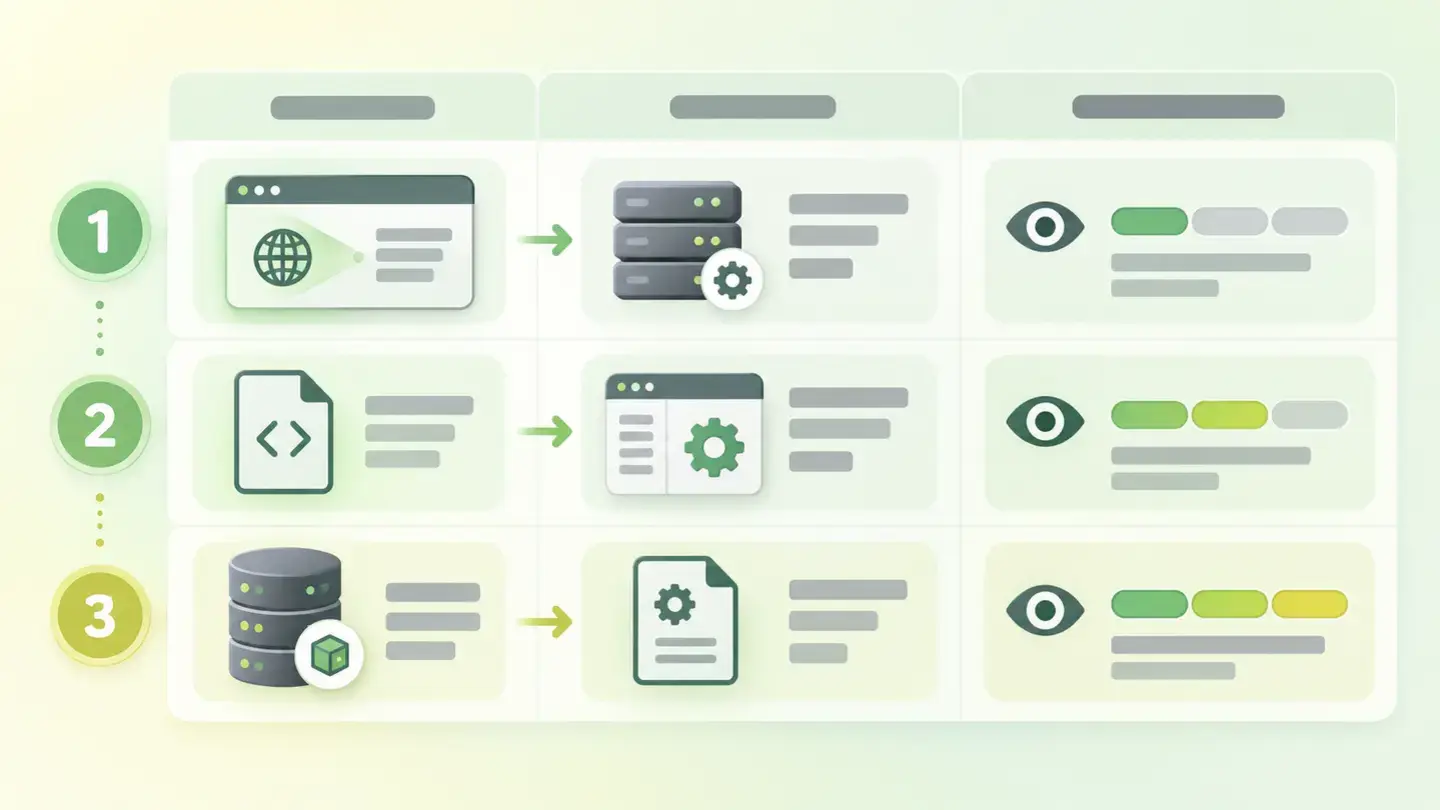
Table with the three exposure points, where each one is configured and how much information it reveals, from just the technology to the exact version
Brief to generate the image
Editorial illustration for a Wakaris technical guide.
Topic: Table with the three exposure points, where each one is configured and how much information it reveals, from just the technology to the exact version.
Style: white background with a soft lime→pale green wash (#F8F7D6 → #E2F2DC), green→lime gradient accent (#8ED390 → #DCD86F), near-black ink (#12150B), pill shapes and rounded corners, soft shadows, clean schematic look, no photography.
Format: 16:9, 1440 pixels wide.
No legible text: any label, code or figure is shown as grey placeholder bars. The caption carries the meaning, not the image.
No real logos or third-party brands. No recognizable people.
Tags: exposure, information, technical, table, points, where, configured, level
Ask your AI
If you want to dig deeper into your specific case, copy one of these two prompts and paste it into the AI you use. Choose based on your situation.
I already have this finding measured with Wakaris and want to fix it
Act as a professional, careful web technical reviewer. Your goal is to help me understand a specific finding about my website and decide what to do about it, without making anything up.

Context: I got this finding with Wakaris, a tool that analyzes a website across 9 areas (performance, SEO, security, social, market, AI, user experience, accessibility and legal) and explains each problem so that everyone on a team can understand it. The finding is: Technical information exposure. My website publishes data about the software serving it —the server and its version, the content management system and its version, or the language or framework behind it— in the response headers or inside the HTML. For reference: ideally no exact version of anything should appear, and preferably not the product name either.

Paste the Wakaris result here: what is being exposed (server, content management system, framework), in how much detail and on which page. If you don’t have it, tell me and I’ll tell you how to get it before we continue.

Rules you must follow at all times:

1. Don’t assume anything about my website. Every piece of data you use must come from what I confirm to you or from what Wakaris has checked. If you don’t know something, ask me before stating it.
2. Before giving me conclusions, ALWAYS ask me these questions, all together and in plain language, to find out whether this finding really affects me and where:
   a) What is being exposed according to the report: the server, the content management system, the framework, or several of them?
   b) Does only the product name appear, or a version number too?
   c) What server or service serves your website? (Apache, Nginx, IIS, managed hosting, cloud platform; or I don’t know)
   d) Do you have access to the server configuration or only to a control panel?
   e) Is there anything in front of your server: a CDN, a proxy, a web application firewall?
   f) And the most important one: is that software updated and patched, or has nobody touched it in a while?
   g) If a technical fix is needed, would you do it yourself, an in-house technician or an agency?
3. Every statement or recommendation must be justified in relation to MY context, not in general. If you recommend something, explain why it applies to my case.
4. Always state your level of certainty. If something is a hypothesis because you can’t check it, say so: you can’t see my website, you’re reasoning from what I tell you.
5. Don’t sell me hiding as if it were a security solution. Make it clear that removing this data reduces exposure but doesn’t fix any vulnerability, and that what really protects is keeping the software updated.
6. Don’t suggest irreversible or risky server configuration changes without first warning me about the risk and that a backup or a test environment is advisable.
7. If you need data that can only be obtained by checking the website (what is actually exposed, in how much detail, or whether the fix worked), tell me and recommend that I run the page through Wakaris again: that gets checked, not guessed.
8. The final decision is mine, not yours. If the fix is beyond what I can do myself, help me get the problem ready to hand over: what it is, where it is, why it matters and what should be done.

Source of this finding: https://www.wakaris.com/en/guides/security/technical-information-exposure
To check it or check it again: https://www.wakaris.com/

Start by briefly introducing yourself in your role and asking me the first block of questions.
I haven’t measured it yet and want to check whether my website has this problem
Act as a professional, careful web technical reviewer. I’m looking into whether my website has a specific problem and I want you to help me find out honestly, without taking it for granted.

Context: I came to this through Wakaris, a tool that analyzes a website across 9 areas (performance, SEO, security, social, market, AI, user experience, accessibility and legal) and explains each problem so that everyone on a team can understand it. The problem I want to look into is: Technical information exposure. It means my website publishes, in the response headers or inside the HTML, which server serves it and which version, which content management system it’s built with or which framework is behind it. I DON’T know yet whether my website has it: I want to find out.

Rules you must follow at all times:

1. First and most important: this is CHECKED by reading my server’s real response and the page’s HTML, and you can’t request them from this conversation. Make it clear from the start that you won’t be able to give me a definitive "yes, you have it" or "no, you don’t", only a hypothesis based on what I tell you.
2. Don’t assume anything. Before giving me any assessment, ALWAYS ask me these questions, all together and in plain language, to estimate whether I’m likely to have the problem:
   a) What is your website built with: a well-known content management system, a visual builder, custom development? Or don’t you know?
   b) Has anyone ever touched the server configuration to harden it, or was the website published just as it came out of the installation?
   c) Who manages the server: you, an agency, a managed hosting provider?
   d) Is there a CDN or a proxy in front of the website?
   e) Is the software up to date, or have updates been pending for months?
   f) Has the website ever been through a security audit?
3. Based on my answers, give me a clear estimate of whether it’s LIKELY or UNLIKELY that I have it, and which of the three points would be the suspect, justified by what I’ve told you and explicitly marked as a hypothesis, not a diagnosis.
4. Tell me directly that the only way to really know is to check it, and that I can do it for free and without creating an account by running my website through Wakaris, which will tell me what is being exposed at each of the three points and, along the way, the state of the other areas.
5. If I ask you how to check it by hand, don’t hide it from me, but remind me that Wakaris does it faster, on the real page and with additional information I don’t get by hand.
6. Be honest about the scope: tell me that hiding this information reduces exposure but doesn’t fix any vulnerability, and that what really protects is keeping the software updated.
7. The conclusion and the decision are mine, not yours. You help me find my way.

Source of this finding: https://www.wakaris.com/en/guides/security/technical-information-exposure
To check it: https://www.wakaris.com/

Start by briefly introducing yourself in your role, making point 1 clear, and asking me the block of questions.
Frequently asked questions
Does hiding the server version make me more secure? +
It reduces exposure, not vulnerability. MDN says it’s debatable how much benefit hiding it brings, because the server software can be identified in other ways, and that the robust approach is to keep it updated and patched. It takes a shortcut away from the attacker; it doesn’t close any hole.
Why is it Important and not Critical? +
Because on its own it doesn’t let anyone get in anywhere: it’s information, not an exploitable flaw. It stays at Important because it makes the attacker’s groundwork easier, which according to OWASP’s testing guide consists of determining whether the application is vulnerable from the server type and version.
What is the generator tag and why does my website have it? +
It’s a meta tag inside the HTML that MDN defines as the identifier of the software that generated the page. Content management systems and visual builders insert it automatically when publishing, usually with their version number, without anyone asking for it.
If I remove these headers, will anything break? +
Not on the page. The server header is informational and headers like X-Powered-By aren’t even standard: the browser doesn’t need them to draw anything. The only possible side effect is on internal tools that rely on reading those values.
Sources cited
- developer.mozilla.orgServer, MDN Web Docs: what the header describes, the warning that fine detail makes known vulnerabilities easier to detect, and why updating is the robust approach.
- developer.mozilla.orgX-Powered-By, MDN Web Docs: what the header contains and its non-standard nature.
- developer.mozilla.orgStandard metadata names, MDN Web Docs: definition of
generatoras the identifier of the software that generated the page. - owasp.orgFingerprint Web Server, OWASP Web Security Testing Guide: why the server type and version make it possible to determine whether an application is vulnerable.

Updated: September 7, 2026.
This article is part of Wakaris, which analyzes your website across 9 areas and explains each finding so that everyone on your team can understand it.