In short
What’s measured
certificate trust and expiry, HTTP to HTTPS redirect, consistency between www and non-www, supported TLS versions and resources loaded over HTTP.
Reference
TLS 1.0 and 1.1 must not be used since RFC 8996 of March 2021; the current version is TLS 1.3.
Why it matters
without HTTPS an intruder can read and modify what your visitor sees; with badly configured HTTPS, the padlock is misleading.
Severity in Wakaris
Critical. It fails on 26% of the pages analyzed.
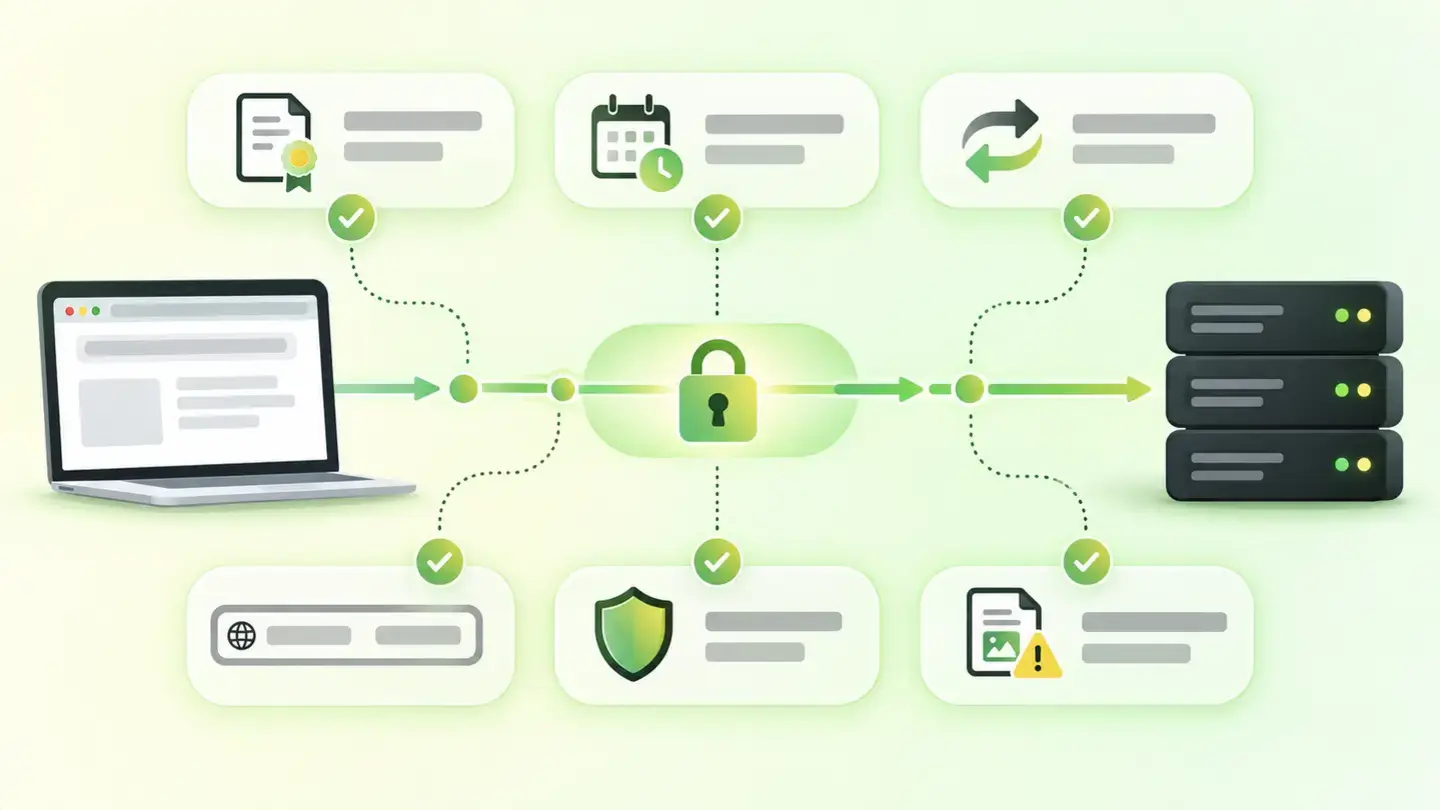
What this finding is and what it measures
HTTPS is HTTP over TLS, the protocol that, according to MDN, lets a client communicate securely with a server across an untrusted network. It provides encryption, so nobody can read data in transit; integrity, so nobody can modify it unnoticed; and authentication, so the browser knows which server it’s talking to. That authentication comes from the certificate, which binds the server’s key to its domain name and is signed by a certificate authority.
This finding doesn’t just ask whether there’s a padlock. It checks whether the certificate comes from a trusted authority and how many days it has left; whether the HTTP version of the page redirects to the secure one; whether the domain with and without www end up in the same place; which TLS versions the server accepts; and whether the page, already on HTTPS, loads images, scripts or other resources over HTTP, which is called mixed content.
How it’s measured
Wakaris connects to the URL you give it and examines the connection from outside, as a browser would. From the certificate it gets the chain of trust and the expiry date; the finding appears when fewer than 30 days remain, and gets more serious below 7 and below 1. It requests the HTTP version of the same address and checks whether it responds with a redirect to HTTPS or serves the page unencrypted. It tries the variants with and without www to see whether they converge. It negotiates the TLS connection and notes which versions the server supports: if it accepts 1.0 or 1.1, they’re flagged as obsolete. And it goes through the resources the page loads to detect those traveling over HTTP.
Each part is an independent piece of evidence, with its specific instance: the URL that doesn’t redirect, the resource going over HTTP, the obsolete version accepted. That way the report doesn’t say "HTTPS fails" but which part fails and where.
Why it matters
It matters because, as web.dev sums up, HTTPS prevents an intruder from tampering with the communication between your website and your users’ browsers and from passively listening to what’s exchanged. Without encryption, anyone on the same network can read forms and cookies, inject ads or malware and work out who your visitor is.
What makes this finding critical is that almost all its failures happen on websites that already have HTTPS. An expired certificate turns the padlock into an error screen that drives people away. An HTTP version that doesn’t redirect leaves the unencrypted door open for anyone arriving from an old link. A server that accepts TLS 1.0 lets an attacker force that version, whose weaknesses led the IETF to prohibit it in RFC 8996. And a single script loaded over HTTP inside an HTTPS page can, according to MDN, modify any aspect of the page, so browsers block it and the website stops working.
Common causes
The most common cause of failure is the forgotten renewal: one-year certificates nobody put in the calendar, or automatic renewals that stopped working after a server or DNS change. Next comes the certificate that doesn’t cover the name: it was issued for the non-www domain and the website is served with www, or the other way round.
The incomplete redirect is another classic: HTTPS was enabled on the server but the HTTP version was left serving the full page, or only redirecting the home page. And www duplication appears when each variant of the domain was configured separately and one was left without redirecting to the other.
Mixed content usually comes from a migration to HTTPS that left absolute paths with http:// in the CMS database, the stylesheet or third-party embeds. And obsolete TLS versions are left active by an inherited server configuration nobody reviewed.
How to fix it
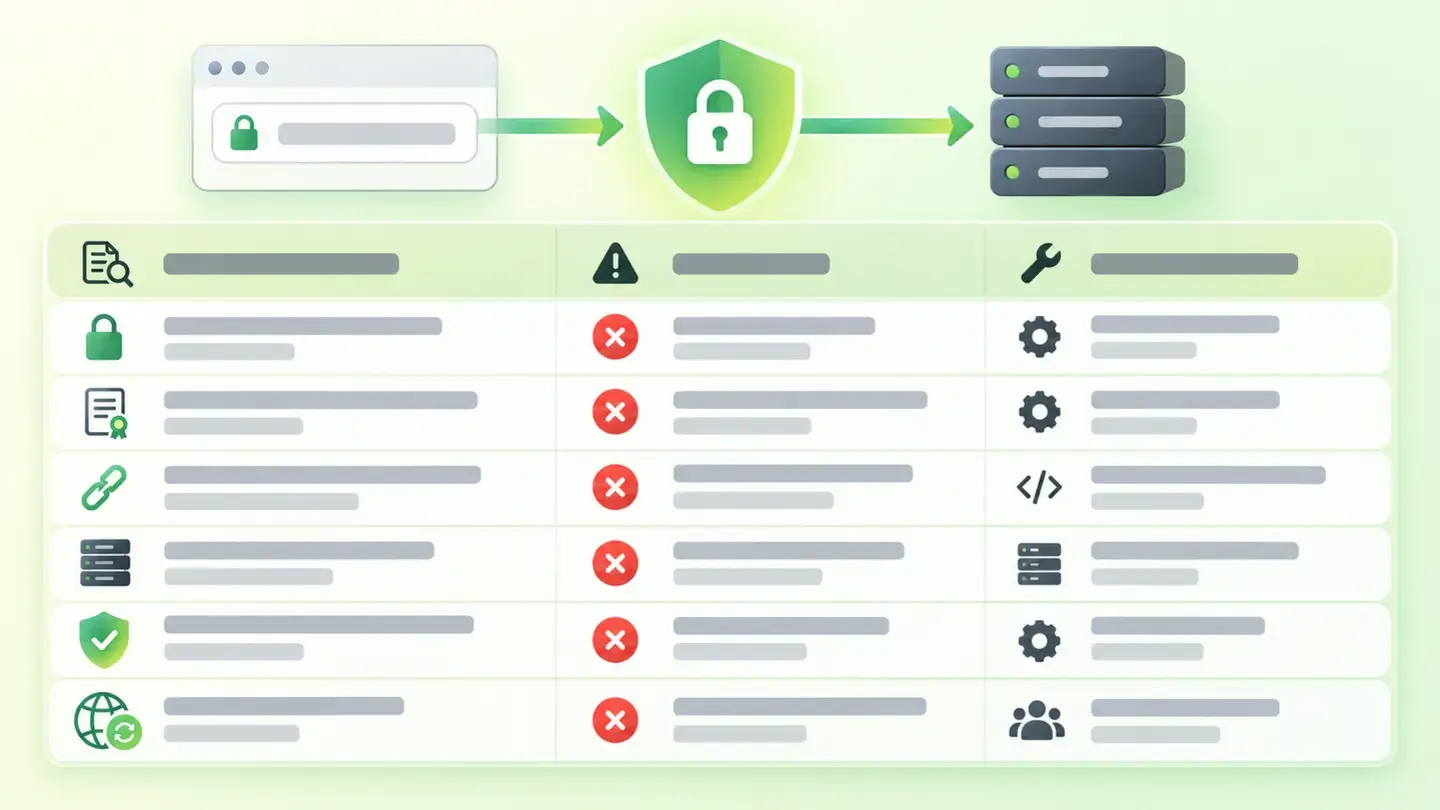
Start with the Wakaris report, which separates the six pieces of evidence: you’ll know whether the problem is the certificate, the redirect, www, TLS or the resources, and on which specific URL.
For the certificate, renew before the 30 days and automate renewal. Check that the certificate covers the domain both with and without www. web.dev recommends RSA keys of at least 2048 bits.
For the redirect, set up a 301 redirect on the server from the entire HTTP version to HTTPS, not just the home page, and another 301 from the www variant you don’t use to the one you do. When everything works, add the Strict-Transport-Security header starting with a short max-age, as web.dev advises.
For mixed content, change http:// paths to https:// or to relative paths, and replace third-party resources that don’t offer HTTPS. For TLS, disable 1.0 and 1.1 in the server configuration and keep 1.2 and 1.3. Then run the URL through Wakaris again.
Table with the six pieces of evidence for the secure connection finding, the state that makes them fail and who usually fixes each one
Brief to generate the image
Editorial illustration for a Wakaris technical guide.
Topic: Table with the six pieces of evidence for the secure connection finding, the state that makes them fail and who usually fixes each one.
Style: white background with a soft lime→pale green wash (#F8F7D6 → #E2F2DC), green→lime gradient accent (#8ED390 → #DCD86F), near-black ink (#12150B), pill shapes and rounded corners, soft shadows, clean schematic look, no photography.
Format: 16:9, 1440 pixels wide.
No legible text: any label, code or figure is shown as gray placeholder bars. The caption carries the meaning, not the image.
No real logos or third-party brands. No recognizable people.
Tags: connection, secure, https, ssl, table, evidence, finding, state
Ask your AI
If you want to dig into your specific case, copy one of these two prompts and paste it into the AI you use. Choose based on your situation.
I’ve already measured the finding with Wakaris and want to fix it
Act as a professional, careful web technical consultant. Your goal is to help me understand a specific finding about my website and decide what to do about it, without making anything up.

Context: I got this finding from Wakaris, a tool that analyzes a website across 9 areas (performance, SEO, security, social, market, AI, user experience, accessibility and legal) and explains each problem so that every role on a team can understand it. The finding is: Secure connection (HTTPS/SSL). It checks six things: whether the certificate is trusted, how many days it has left, whether HTTP redirects to HTTPS, whether www and non-www lead to the same place, which TLS versions the server supports and whether the page loads resources over HTTP. Reference: the certificate is flagged with fewer than 30 days left; TLS 1.0 and 1.1 must not be used (RFC 8996); no resource should load over HTTP inside an HTTPS page.

Paste the Wakaris result here: which of the six pieces of evidence fail, with the data for each (days to expiry, URL that doesn’t redirect, TLS version accepted, resource over HTTP) and on which page. If you don’t have it, tell me and I’ll tell you how to get it before we continue.

Rules you must follow at all times:

1. Don’t assume anything about my website. Every piece of data you use must come from what I confirm to you or from what Wakaris has measured. If you don’t know it, ask me before stating it.
2. Before giving me conclusions, ALWAYS ask me these questions, all together and in plain language, to find out whether this finding really affects me and where:
   a) Of the six pieces of evidence, which ones exactly fail?
   b) Where is the website hosted: shared hosting, your own server, a managed platform (Shopify, Wix, WordPress.com or other) or behind a CDN?
   c) Who issued the certificate and how is it renewed: automatically, by hand, or you don’t know?
   d) Did the website switch from HTTP to HTTPS at some point, or was it on HTTPS from the start?
   e) Do you have access to the server configuration or the hosting panel, or do you depend on a provider?
   f) Do you load third-party resources: fonts, videos, maps, analytics or advertising scripts?
   g) If a technical fix is needed, would you do it yourself, an in-house technician or an agency?
3. Every statement or recommendation must be reasoned in relation to MY context, not in general. If you recommend something, explain why it applies to my case.
4. Always state your level of certainty. If something is a hypothesis because you can’t measure it, say so: you can’t see my website, you’re reasoning from what I tell you.
5. Don’t suggest irreversible or risky technical changes (server configuration, global redirects, security headers, direct changes in production) without first warning me about the risk and that a backup or a test environment is advisable.
6. If you need a piece of data that can only be obtained by measuring the website (confirming the real expiry, the TLS version accepted, or whether the fix worked), tell me and recommend that I run the page through Wakaris again: that gets measured, not guessed.
7. The final decision is mine, not yours. Your role is to help me understand and prepare the action, not to decide for me.
8. If the fix goes beyond what I can do myself, or a team is going to carry it out, help me get the problem ready to hand over: what it is, where it is, why it matters and what should be done, in an actionable format for that person.

Source of this finding: https://www.wakaris.com/en/guides/security/https-secure-connection
To measure it or measure it again: https://www.wakaris.com/

Start by briefly introducing yourself in your role and asking me the first set of questions.
I haven’t measured it yet and want to check whether my website has this problem
Act as a professional, careful web technical consultant. I’m looking into whether my website has a specific problem and I want you to help me find out honestly, without taking it for granted.

Context: I came to this through Wakaris, a tool that analyzes a website across 9 areas (performance, SEO, security, social, market, AI, user experience, accessibility and legal) and explains each problem so that every role on a team can understand it. The problem I want to look into is: Secure connection (HTTPS/SSL). It’s when some part of the encrypted connection fails even though the website has a padlock: an expired or untrusted certificate, an HTTP version that doesn’t redirect, www and non-www that don’t match, old TLS versions accepted or resources loaded over HTTP. Reference: certificate with fewer than 30 days left; TLS 1.0 and 1.1 prohibited by RFC 8996. I DON’T know yet whether my website has it: I want to find out.

Rules you must follow at all times:

1. First and most important: this is MEASURED by connecting to the server, and you can’t do that from this conversation. Make it clear from the start that you won’t be able to give me a definitive "yes, you have it" or "no, you don’t", only a hypothesis based on what I tell you.
2. Don’t assume anything. Before giving me any assessment, ALWAYS ask me these questions, all together and in plain language, to estimate whether I’m likely to have the problem:
   a) If you type your domain without "https://" in the browser, does it end up on the padlock version or stay without it?
   b) And if you type it with and without "www"? Do you reach the same place in both cases?
   c) Do you know when the certificate was last renewed and whether it renews automatically?
   d) Did the website switch from HTTP to HTTPS at some point, or was it on HTTPS from the start?
   e) Has the browser ever shown you a "not secure" warning or an image that won’t load on your own website?
   f) Where is it hosted: shared hosting, your own server or a managed platform? How long since anyone touched the configuration?
3. Based on my answers, give me a clear estimate of whether it’s LIKELY or UNLIKELY that I have it, and which part would be the suspect, reasoned from what I’ve told you and explicitly marked as a hypothesis, not a diagnosis.
4. Tell me directly that the only way to know for sure is to measure it, and that I can do it for free and without creating an account by running my website through Wakaris, which will give me the state of the six parts, the specific data for each and, along the way, the state of the other areas.
5. If I ask you how to check it by hand, don’t hide it from me, but remind me that Wakaris does it faster, on the real server and with additional information I don’t get by hand.
6. If measuring it shows that I do have it, tell me the next step is to understand how it affects me and how to fix it in my specific case.
7. The conclusion and the decision are mine, not yours. You help me find my way.

Source of this finding: https://www.wakaris.com/en/guides/security/https-secure-connection
To measure it: https://www.wakaris.com/

Start by briefly introducing yourself in your role, making point 1 clear, and asking me the set of questions.
Frequently asked questions
Are SSL and TLS the same thing? +
In practice they’re used as synonyms, but SSL is the name of the old protocol and TLS that of its successor, which is the one used today. According to MDN, the current and most widespread version is TLS 1.3; TLS 1.2 is still in use, and 1.0 and 1.1 must not be used. An "SSL certificate" is actually a TLS certificate.
My website has a padlock. Why does the finding fail? +
Because the padlock only says the page arrived encrypted with a certificate that’s valid right now. It doesn’t say whether the certificate expires next week, whether the HTTP version is still open, whether the server accepts TLS 1.0 or whether a blocked resource was traveling over HTTP. Wakaris checks those parts separately.
What is mixed content and why is it blocked? +
It’s a page loaded over HTTPS that requests some resource over HTTP. According to MDN, browsers automatically upgrade images, audio and video to HTTPS, and block the rest, such as scripts, stylesheets and iframes, because an insecure script could modify any aspect of the page and break it.
How often does a certificate expire? +
It depends on who issues it and the type: free ones with automatic renewal usually last a few months and renew themselves; paid ones last longer, but are renewed by hand. Wakaris warns you when fewer than 30 days remain so there’s time to react, and makes the finding more serious below 7 days and below 1.
Sources cited
- developer.mozilla.orgTransport Layer Security (TLS), MDN Web Docs: what TLS is, encryption, integrity and authentication; TLS 1.3 as the current version; 1.0 and 1.1 must not be used; what the certificate binds.
- developer.mozilla.orgMixed content, MDN Web Docs: definition, resources the browser upgrades and resources it blocks, and why scripts are the most dangerous case.
- web.devWhy HTTPS matters, web.dev: integrity, privacy and what an intruder can do over an unencrypted connection.
- web.devEnable HTTPS on your servers, web.dev: 2048-bit keys, 301 redirects from HTTP to HTTPS, relative paths against mixed content and the Strict-Transport-Security header with an increasing max-age.
- datatracker.ietf.orgRFC 8996: Deprecating TLS 1.0 and TLS 1.1, IETF: TLS 1.0 and 1.1 "MUST NOT be used", cryptographic reasons and publication date, March 2021.

Updated: September 7, 2026.
This article is part of Wakaris, which analyzes your website across 9 areas and explains each finding so that every role on your team can understand it.