In short
What is checked
seven response headers, including the content policy, secure transport, framing protection and browser permissions.
When it fails
when one is missing, is in report-only mode or is configured more openly than it should be.
Why it matters
each header closes off a specific type of attack, and they are the cheapest security changes there are.
Severity in Wakaris
Important. It is the most frequent finding in its area: it fails on 97% of the pages analyzed.
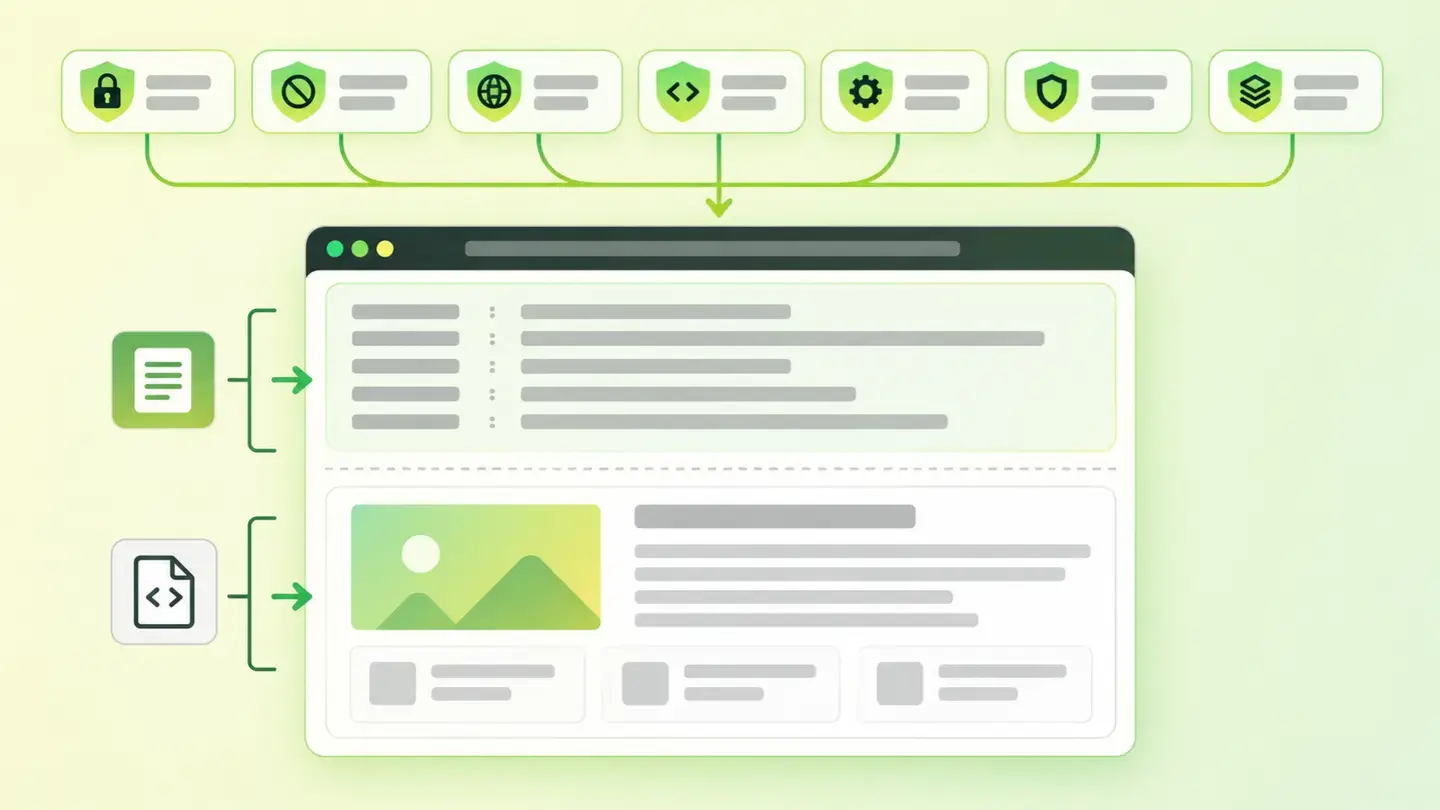
What this finding is and what it checks
When you request a page, the server sends two things: the content and a set of headers, lines of text that the browser reads first and that don’t appear on screen. Some of those lines are security instructions.
Wakaris checks seven. Content-Security-Policy controls which resources the page can load. Strict-Transport-Security forces the use of HTTPS. X-Content-Type-Options stops the browser from guessing a file’s type. Framing protection decides who can put your page inside theirs. Referrer-Policy controls how much of the source URL is sent when leaving. Permissions-Policy decides which browser features the page can use. And the CORS headers define which other sites can read your responses.
How it is checked
Wakaris requests your URL, reads the response headers and tells you the status of each of the seven, with the instance and the header fragment that backs it up. There’s nothing to install and no need to log in to the server: the response is public and travels with every visit.
The check isn’t just about presence. A content policy can be sent in report-only mode —the Report-Only variant, which according to MDN is used in testing to report violations without blocking execution— and then it exists but doesn’t protect. Framing protection may live only in the old X-Frame-Options header. And CORS headers can be open and also allow credentials. That’s why the result distinguishes between missing, weak, permissive and report-only, instead of answering yes or no.
Why it matters
Each header closes a specific door, and the reference documentation says which one.
The content policy, according to MDN, helps protect against cross-site scripting attacks: someone else’s code sneaking in and running as if it were yours. The secure transport header tells the browser that the domain is only visited over HTTPS and not to allow skipping a certificate error. nosniff prevents a file uploaded by a user from ending up interpreted as HTML. Framing protection prevents clickjacking, the technique of laying your page invisibly over another one so that someone clicks where they don’t think they are. And allowing credentials in requests from other origins, MDN warns, exposes the site to request forgery.
Common causes
The main cause is that nobody has added them. No server sends them by default: if nobody writes them into the configuration, they aren’t there. That explains why the finding shows up on almost every page analyzed.
The second is the content policy that stayed in testing. It gets deployed in report-only mode so as not to break anything, the reports are collected, and the switch to enforcing mode never comes.
The third is the legacy header: framing protection set up years ago only with X-Frame-Options, whose ALLOW-FROM option MDN marks as deprecated and modern browsers ignore.
The fourth is the CORS wildcard copied from an example to unblock an integration, which opens the response to any origin and stays there forever.
How to fix it
Start from the Wakaris report, which tells you which of the seven fail and what state they’re in; the fix is in the server configuration, not in the page code.
Begin with the three that don’t break anything: X-Content-Type-Options: nosniff, a Referrer-Policy —the value browsers apply by default today is strict-origin-when-cross-origin— and a Permissions-Policy that turns off the features you don’t use, such as camera, microphone or geolocation.
Continue with Strict-Transport-Security: MDN gives one year, 31,536,000 seconds, as the minimum to qualify for the preload list. For framing, use the content policy’s frame-ancestors directive, which MDN presents as the more complete option.
Leave the content policy for last, in report-only mode first and enforcing afterwards. Finish by checking that CORS doesn’t combine an open origin with credentials, and run the page through Wakaris again.
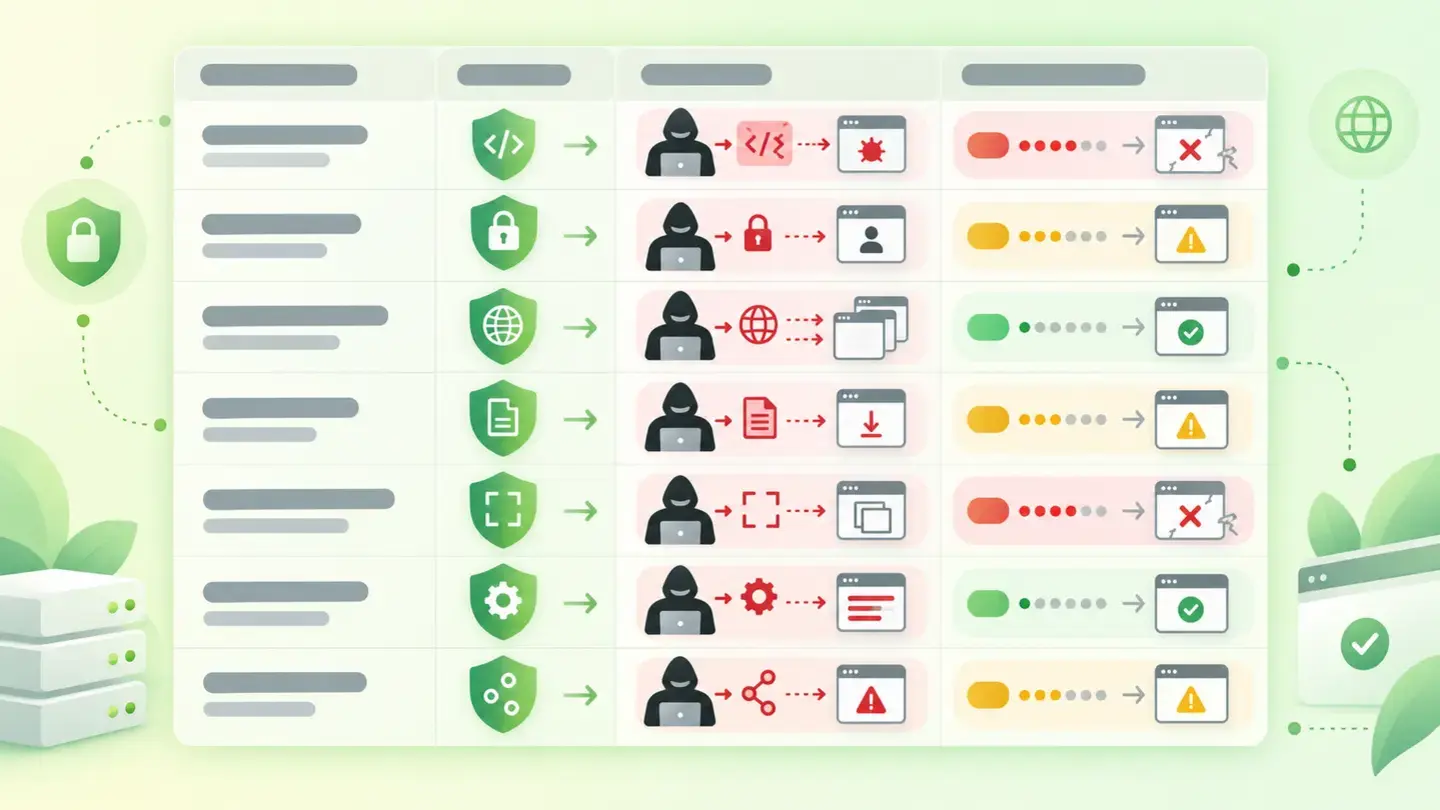
Table with the seven security headers, the attack each one closes off and how likely it is to break the page when you turn it on
Brief to generate the image
Editorial illustration for a Wakaris technical guide.
Topic: Table with the seven security headers, the attack each one closes off and how likely it is to break the page when you turn it on.
Style: white background with a soft lime→pale green wash (#F8F7D6 → #E2F2DC), green→lime gradient accent (#8ED390 → #DCD86F), near-black ink (#12150B), pill shapes and rounded corners, soft shadows, clean schematic look, no photography.
Format: 16:9, 1440 pixels wide.
No legible text: any label, code or figure is shown as grey placeholder bars. The caption carries the meaning, not the image.
No real logos or third-party brands. No recognizable people.
Tags: headers, security, table, attack, closes, level, risk, break
Ask your AI
If you want to dig deeper into your specific case, copy one of these two prompts and paste it into the AI you use. Choose based on your situation.
I already have this finding measured with Wakaris and want to fix it
Act as a professional, careful web technical reviewer. Your goal is to help me understand a specific finding about my website and decide what to do about it, without making anything up.

Context: I got this finding with Wakaris, a tool that analyzes a website across 9 areas (performance, SEO, security, social, market, AI, user experience, accessibility and legal) and explains each problem so that everyone on a team can understand it. The finding is: Security headers. My server doesn’t send one or more of the seven security headers that are checked, or sends them in a state that doesn’t protect: in report-only mode, with a permissive configuration or with a deprecated header. For reference, the seven are the content policy (Content-Security-Policy), secure transport (Strict-Transport-Security), blocking type guessing (X-Content-Type-Options: nosniff), protection against being embedded in other websites, the referrer policy (Referrer-Policy), the browser permissions policy (Permissions-Policy) and the cross-origin sharing headers (CORS).

Paste the Wakaris result here: which headers are missing or failing, what state each one is in and on which page. If you don’t have it, tell me and I’ll tell you how to get it before we continue.

Rules you must follow at all times:

1. Don’t assume anything about my website. Every piece of data you use must come from what I confirm to you or from what Wakaris has checked. If you don’t know something, ask me before stating it.
2. Before giving me conclusions, ALWAYS ask me these questions, all together and in plain language, to find out whether this finding really affects me and where:
   a) Which headers did the report flag, and in what state (missing, weak, permissive, report-only)?
   b) What server or service serves your website? (Apache, Nginx, IIS, managed hosting, a cloud platform, a CDN in front)
   c) Do you have access to the server configuration or only to a control panel?
   d) Does your website load resources from other domains: fonts, videos, maps, chats, tracking tags or ads?
   e) Does any other website or app need to embed your pages in an iframe, or read your responses from another domain?
   f) Does the page use the camera, microphone, geolocation or notifications?
   g) If a technical fix is needed, would you do it yourself, an in-house technician or an agency?
3. Every statement or recommendation must be justified in relation to MY context, not in general. If you recommend something, explain why it applies to my case.
4. Always state your level of certainty. If something is a hypothesis because you can’t check it, say so: you can’t see my website, you’re reasoning from what I tell you.
5. Warn me explicitly which of these changes can break the page if applied wrongly —the content policy and the permissions policy above all— and recommend that I test them first in a test environment or in report-only mode.
6. If you need data that can only be obtained by checking the website (which headers are actually sent, with what values, or whether the fix worked), tell me and recommend that I run the page through Wakaris again: that gets checked, not guessed.
7. The final decision is mine, not yours. Your role is to help me understand and prepare the action, not to decide for me.
8. If the fix is beyond what I can do myself, or a team is going to carry it out, help me get the problem ready to hand over: what it is, where it is, why it matters and what should be done, in an actionable format for that person.

Source of this finding: https://www.wakaris.com/en/guides/security/security-headers
To check it or check it again: https://www.wakaris.com/

Start by briefly introducing yourself in your role and asking me the first block of questions.
I haven’t measured it yet and want to check whether my website has this problem
Act as a professional, careful web technical reviewer. I’m looking into whether my website has a specific problem and I want you to help me find out honestly, without taking it for granted.

Context: I came to this through Wakaris, a tool that analyzes a website across 9 areas (performance, SEO, security, social, market, AI, user experience, accessibility and legal) and explains each problem so that everyone on a team can understand it. The problem I want to look into is: Security headers. It means my server doesn’t send, or sends wrongly, the response headers that tell the browser what it may do with my page: the content policy, mandatory secure transport, blocking type guessing, protection against being embedded in other websites, the referrer policy, the browser permissions policy and the cross-origin sharing headers. I DON’T know yet whether my website has it: I want to find out.

Rules you must follow at all times:

1. First and most important: this is CHECKED by reading the headers my server returns, and you can’t request them from this conversation. Make it clear from the start that you won’t be able to give me a definitive "yes, you have it" or "no, you don’t", only a hypothesis based on what I tell you.
2. Don’t assume anything. Before giving me any assessment, ALWAYS ask me these questions, all together and in plain language, to estimate whether I’m likely to have the problem:
   a) Has anyone ever configured security headers on your server, or was the website published and left as it was?
   b) What server or service serves your website? (Apache, Nginx, IIS, managed hosting, cloud platform; or I don’t know)
   c) Has the website ever been through a security audit, or have you received security requirements from a client or an insurer?
   d) Is your website a store, or does it have a customer area or forms with personal data?
   e) Does it load resources from many external domains: fonts, chats, maps, videos, tracking tags or ads?
   f) Do you know whether anyone embeds your pages inside another website?
3. Based on my answers, give me a clear estimate of whether it’s LIKELY or UNLIKELY that I have it, and which headers would be the suspects, justified by what I’ve told you and explicitly marked as a hypothesis, not a diagnosis.
4. Tell me directly that the only way to really know is to check it, and that I can do it for free and without creating an account by running my website through Wakaris, which will tell me the real state of each of the seven headers and, along the way, of the other areas.
5. If I ask you how to check it by hand, don’t hide it from me, but remind me that Wakaris does it faster, on the real page and with additional information I don’t get by hand.
6. If checking shows that I do have it, tell me that the next step is to understand how it affects me and in what order to add the missing headers.
7. The conclusion and the decision are mine, not yours. You help me find my way.

Source of this finding: https://www.wakaris.com/en/guides/security/security-headers
To check it: https://www.wakaris.com/

Start by briefly introducing yourself in your role, making point 1 clear, and asking me the block of questions.
Frequently asked questions
Can adding these headers break my website? +
Three of the seven break practically nothing: nosniff, the referrer policy and secure transport. The ones that can break things are the content policy and the permissions policy, because they block resources and features. That’s why it’s best to deploy them in report-only mode first.
Is it any use having the content policy in Report-Only mode? +
It helps you prepare the rollout, not protect yourself. MDN describes that mode as the one used in testing to report violations without stopping the code from running. A website that has been in report-only mode for months has the information collected and the protection still switched off.
X-Frame-Options or frame-ancestors? +
MDN points to the content policy’s frame-ancestors directive as the more complete option compared with the old header. It’s best to have frame-ancestors and keep X-Frame-Options as a fallback, bearing in mind that its ALLOW-FROM option is deprecated and modern browsers ignore it.
What’s the point of a permissions policy if my website doesn’t use the camera or microphone? +
Exactly that: turning off what you don’t use. The permissions policy controls browser features in your document and also in the iframes it embeds, so a third-party resource can’t request geolocation or the camera on your behalf.
Sources cited
- developer.mozilla.orgContent-Security-Policy, MDN Web Docs: what the policy controls, its role against cross-site scripting, the
frame-ancestorsdirective andReport-Onlymode. - developer.mozilla.orgStrict-Transport-Security, MDN Web Docs: HTTPS-only access, not being able to skip certificate errors and the 31,536,000-second minimum for preloading.
- developer.mozilla.orgX-Content-Type-Options, MDN Web Docs: what
nosniffdoes and the risk of user-uploaded content running as HTML. - developer.mozilla.orgReferrer-Policy, MDN Web Docs: what source information is sent and what the default policy is.
- developer.mozilla.orgPermissions-Policy, MDN Web Docs: control of browser features in the document and in embedded iframes.
- developer.mozilla.orgX-Frame-Options, MDN Web Docs: protection against clickjacking, the pointer to
frame-ancestorsand the deprecation ofALLOW-FROM. - developer.mozilla.orgAccess-Control-Allow-Credentials, MDN Web Docs: what cross-origin credentials are and how they relate to request forgery.

Updated: September 7, 2026.
This article is part of Wakaris, which analyzes your website across 9 areas and explains each finding so that everyone on your team can understand it.