In short
What’s measured
buttons, links and frames (iframes) that don’t have a name assistive technology can read.
Reference
WCAG criterion 4.1.2, level A, requires the name of every interface component to be programmatically determinable.
Why it matters
without a name, people browsing with a screen reader or by voice can’t know what the control does or activate it reliably.
Severity in Wakaris
Critical. It fails on 72% of the pages analyzed.
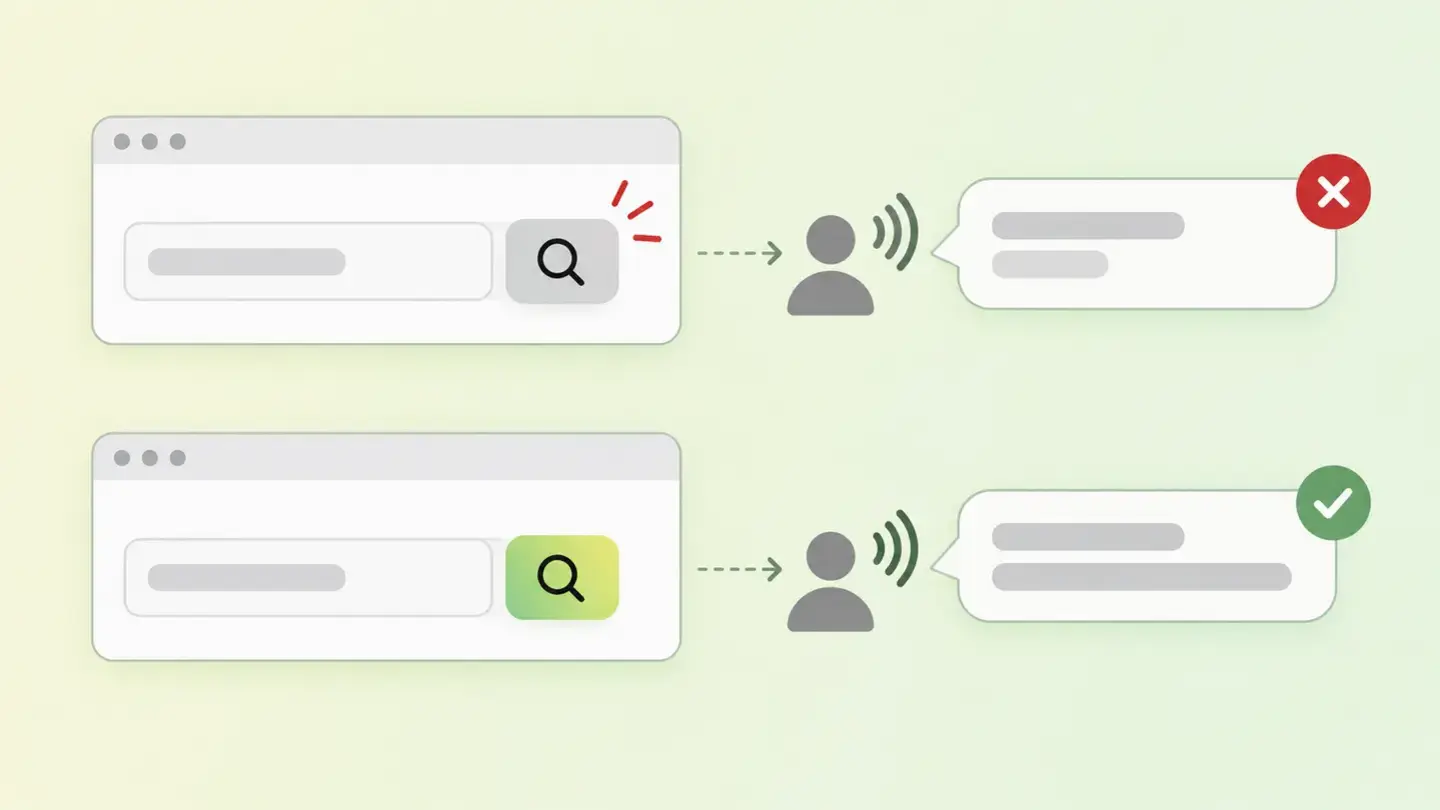
What this finding is and what it measures
The accessible name is the text software uses to identify a control to the person using it. MDN defines it as the text associated with an HTML element that gives assistive technology users a label for that element. It can be visible, like a link’s text, or invisible, like an attribute only the screen reader reads.
This finding looks at three types of control. Buttons, which take their name from their own text; if they only contain an icon, there’s nothing to take it from. Links, which are also named by their content; a link wrapping an image with no alternative text ends up with no name. And frames or iframes, which need a title attribute, because the screen reader stops at their boundary and announces the role "frame" followed by that title.
The reference is WCAG criterion 4.1.2, Name, Role, Value: the name and role of every interface component must be programmatically determinable. It’s level A.
How it’s measured
Wakaris loads the URL you give it, builds the same representation a screen reader would use and checks every button, link and frame on the page to see whether it has an accessible name. The result is a count by type of control, with each instance and the code snippet where it appears, so whoever fixes it knows which element to go to.
The name isn’t looked for in just one place. Following the accessible name computation documented by MDN, a control can take it from its text content, from the alt attribute of an image it contains, from an associated label element, from aria-labelledby pointing to visible text, or from aria-label when there’s no visible text to associate. Wakaris treats the control as named if any of those routes produces non-empty text.
The threshold is strict: a single unnamed control is enough to trigger it, and the reading gets worse as the count grows. An unnamed button in the header search affects all navigation: the number matters less than where they are.
Why it matters
It matters because the name is all some of your visitors get from the control. WCAG puts it like this: exposing name, role and value enables compatibility with assistive technologies such as screen readers, magnifiers and speech recognition software. Someone navigating by voice can’t say "click Search" because, as far as the software is concerned, the control isn’t called that.
There’s a specific effect on links. Screen readers let you list all the links on a page to jump straight to the one you want. If several are called "here" or "read more", or aren’t called anything at all, that shortcut stops working: web.dev’s documentation illustrates it with a menu full of the word "here".
And there’s a conformance angle. Criterion 4.1.2 is level A, the lowest rung of WCAG: failing it leaves the page outside any level of conformance.
Common causes
The most common cause is icon buttons: the search magnifying glass, the hamburger menu, the X that closes a notice, a carousel’s arrows. They’re drawn with an SVG, an icon font or a background image, and the button is left with no text to take a name from. web.dev’s documentation points out precisely that a button always tries to compute its name from its text content, and that icon buttons should be given an explicit name with aria-label.
The second is links that wrap images: the logo that goes to the home page, gallery thumbnails, social media icons in the footer. If the image has no alt, the link has no name.
The third is iframes without a title: embedded videos, maps, third-party forms, chats. They’re pasted in exactly as the provider supplies them and nobody adds the title. Often the problem comes from an external component, not your template.
How to fix it
Start with the Wakaris report: it gives you each unnamed control with its type and code snippet. Prioritize by use, not by number: search, menu, notice close buttons and carousel navigation before a decorative footer icon.
For an icon button, the fix is an aria-label that says what the button does, not what it shows: "Search", not "magnifying glass"; "Open menu", not "hamburger". If the button can have visible text, even better.
For an image link, give the image an alt that describes the destination: "Home" on the logo, the network’s name on social icons. And avoid the name ending up as "here" or "read more".
For an iframe, add a title describing the content it embeds: "Intro video", "Store map". Then run the page through Wakaris again and check that the count drops to zero.
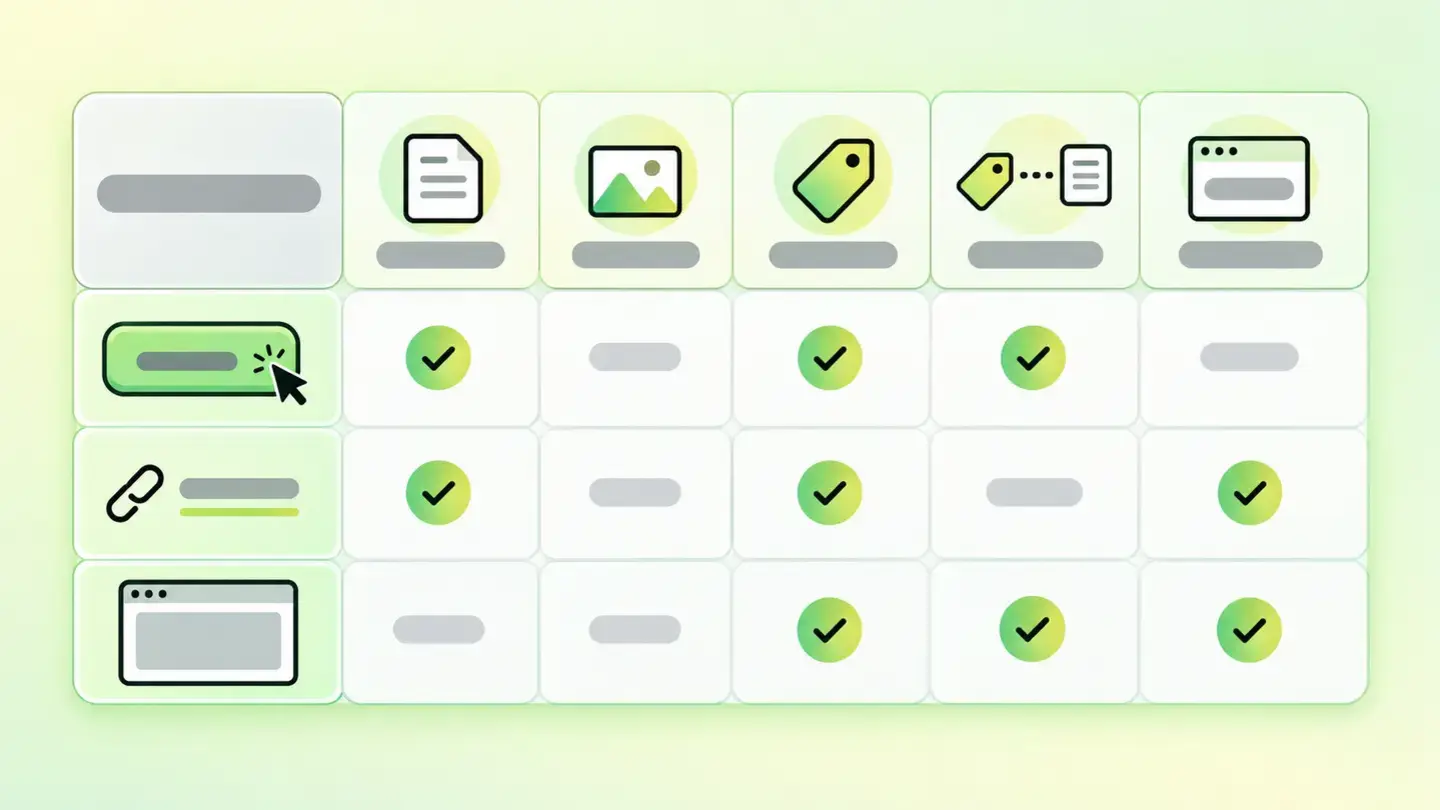
Table with the sources a button, a link and an iframe take their accessible name from: text content, alt, aria-label, aria-labelledby and title
Brief to generate the image
Editorial illustration for a Wakaris technical guide.
Topic: Table with the sources a button, a link and an iframe take their accessible name from: text content, alt, aria-label, aria-labelledby and title.
Style: white background with a soft lime→pale green wash (#F8F7D6 → #E2F2DC), green→lime gradient accent (#8ED390 → #DCD86F), near-black ink (#12150B), pill shapes and rounded corners, soft shadows, clean schematic look, no photography.
Format: 16:9, 1440 pixels wide.
No legible text: any label, code or figure is shown as gray placeholder bars. The caption carries the meaning, not the image.
No real logos or third-party brands. No recognizable people.
Tags: names, accessible, controls, table, sources, button, link, iframe
Ask your AI
If you want to dig into your specific case, copy one of these two prompts and paste it into the AI you use. Choose based on your situation.
I’ve already measured the finding with Wakaris and want to fix it
Act as a professional, careful web technical consultant. Your goal is to help me understand a specific finding about my website and decide what to do about it, without making anything up.

Context: I got this finding from Wakaris, a tool that analyzes a website across 9 areas (performance, SEO, security, social, market, AI, user experience, accessibility and legal) and explains each problem so that every role on a team can understand it. The finding is: Accessible names for controls. There are buttons, links or frames (iframes) on my page that don’t have a name a screen reader or voice control can read, so they’re announced only as "button" or "link". Reference: WCAG criterion 4.1.2, level A, requires every control’s name to be programmatically determinable; the Wakaris threshold is zero unnamed controls.

Paste the Wakaris result here: how many unnamed controls there are, of what type (button, link, frame), on which page and, if it shows it, the code snippet for each one. If you don’t have it, tell me and I’ll tell you how to get it before we continue.

Rules you must follow at all times:

1. Don’t assume anything about my website. Every piece of data you use must come from what I confirm to you or from what Wakaris has measured. If you don’t know it, ask me before stating it.
2. Before giving me conclusions, ALWAYS ask me these questions, all together and in plain language, to find out whether this finding really affects me and where:
   a) What platform is your website built on? (WordPress, Shopify, custom-built, other)
   b) Of the unnamed controls, how many are buttons, how many links and how many frames?
   c) Are the affected buttons icon buttons (magnifying glass, menu, close, arrows) or do they have visible text?
   d) Do the affected links wrap images (logo, thumbnails, social media) or are they text links?
   e) Are the affected frames third-party content (video, map, chat, form) or your own?
   f) Is the code for those controls generated by you, a theme or template, or a plugin or external component?
   g) If a technical fix is needed, would you do it yourself, an in-house technician or an agency?
3. Every statement or recommendation must be reasoned in relation to MY context, not in general. If you recommend something, explain why it applies to my case.
4. Always state your level of certainty. If something is a hypothesis because you can’t measure it, say so: you can’t see my website, you’re reasoning from what I tell you.
5. Don’t suggest irreversible or risky technical changes (server configuration, deleting resources, direct changes in production) without first warning me about the risk and that a backup or a test environment is advisable.
6. If you need a piece of data that can only be obtained by measuring the website (confirming which controls are still unnamed, or whether the fix worked), tell me and recommend that I run the page through Wakaris again: that gets measured, not guessed.
7. The final decision is mine, not yours. Your role is to help me understand and prepare the action, not to decide for me.
8. If the fix goes beyond what I can do myself, or a team is going to carry it out, help me get the problem ready to hand over: what it is, where it is, why it matters and what should be done, in an actionable format for that person.

Source of this finding: https://www.wakaris.com/en/guides/accessibility/accessible-names-for-controls
To measure it or measure it again: https://www.wakaris.com/

Start by briefly introducing yourself in your role and asking me the first set of questions.
I haven’t measured it yet and want to check whether my website has this problem
Act as a professional, careful web technical consultant. I’m looking into whether my website has a specific problem and I want you to help me find out honestly, without taking it for granted.

Context: I came to this through Wakaris, a tool that analyzes a website across 9 areas (performance, SEO, security, social, market, AI, user experience, accessibility and legal) and explains each problem so that every role on a team can understand it. The problem I want to look into is: Accessible names for controls. It’s when a button, link or frame (iframe) on my page doesn’t have a name a screen reader or voice control can read, and is announced only as "button" or "link". Reference: WCAG criterion 4.1.2, level A; the threshold is zero unnamed controls. I DON’T know yet whether my website has it: I want to find out.

Rules you must follow at all times:

1. First and most important: this is MEASURED by checking every control on the page, and you can’t measure my website from this conversation. Make it clear from the start that you won’t be able to give me a definitive "yes, you have it" or "no, you don’t", only a hypothesis based on what I tell you.
2. Don’t assume anything. Before giving me any assessment, ALWAYS ask me these questions, all together and in plain language, to estimate whether I’m likely to have the problem:
   a) Does your website have buttons that are just an icon, with no text next to them? (search magnifying glass, three-line menu, close X, carousel arrows)
   b) Do you have links that are just an image? (logo that goes to the home page, social media icons, gallery thumbnails)
   c) Do you embed content from other sites: videos, maps, forms, chats?
   d) What platform is your website built on? (WordPress, Shopify, custom-built, other; or I don’t know)
   e) Do you use a purchased theme or template, or a custom design?
   f) Has anyone ever reviewed the website’s accessibility, or is this the first time you’re considering it?
3. Based on my answers, give me a clear estimate of whether it’s LIKELY or UNLIKELY that I have it, and which type of control would be the suspect, reasoned from what I’ve told you and explicitly marked as a hypothesis, not a diagnosis.
4. Tell me directly that the only way to know for sure is to measure it, and that I can do it for free and without creating an account by running my website through Wakaris, which will give me the real count of unnamed controls, the code snippet for each one and, along the way, the state of the other areas.
5. If I ask you how to check it by hand, don’t hide it from me, but remind me that Wakaris does it faster, on the real page and with additional information I don’t get by hand.
6. If measuring it shows that I do have it, tell me the next step is to understand how it affects me and how to fix it in my specific case.
7. The conclusion and the decision are mine, not yours. You help me find my way.

Source of this finding: https://www.wakaris.com/en/guides/accessibility/accessible-names-for-controls
To measure it: https://www.wakaris.com/

Start by briefly introducing yourself in your role, making point 1 clear, and asking me the set of questions.
Frequently asked questions
What’s the difference between an accessible name and a visible label? +
Everyone sees the visible label; the accessible name is the text software exposes to assistive technology, and it can be hidden. WCAG puts it like this: the name may be hidden and only exposed by assistive technology, whereas the label is presented to all users. Ideally they match.
Does a button with an icon and a hover tooltip already have a name? +
The title attribute can serve as a name as a last resort, but it’s fragile: it doesn’t show on touch screens and some readers ignore it or read it as a description. For an icon button, the reliable route is an aria-label with the action it performs, or visible text inside the button when the design allows.
Why does "read more" count as a problem if the link does have text? +
Strictly speaking that link has a name, so Wakaris doesn’t count it as an unnamed control. The problem is usefulness: when a screen reader lists the links on the page, several "read more" links in a row don’t say where each one goes. Putting text that describes the destination inside the link fixes it.
Are third-party iframes my responsibility? +
The iframe’s title attribute goes in your code, not the provider’s, so you can and should add it. What happens inside the frame depends on the third party, but the frame’s name, which is what the screen reader announces when it reaches it, is yours. Wakaris checks that title on your page.
Sources cited
- w3.orgUnderstanding Success Criterion 4.1.2: Name, Role, Value, W3C WAI: text of the criterion, level A, definition of name versus label and the assistive technologies that benefit.
- developer.mozilla.orgAccessible name, MDN Web Docs: definition of accessible name and the routes it’s derived from (content, alt, label, aria-labelledby, aria-label).
- web.devLabels and text alternatives, web.dev: how a button computes its name, using aria-label on icon buttons, the screen reader’s link list and the title attribute on iframes.
- web.devThe Accessibility Tree, web.dev: what the accessibility tree is and how the screen reader announces each element’s role, name, state and value.

Updated: September 7, 2026.
This article is part of Wakaris, which analyzes your website across 9 areas and explains each finding so that every role on your team can understand it.