In short
What is measured
how many links to your profiles aren’t valid and how many profiles aren’t accessible.
When it’s triggered
with just one. There’s a single threshold and no ranges: one and twenty give the same finding.
Why it matters
those links are the thread that connects your website to your identity outside it.
Severity in Wakaris
Improvement. It appears on 4.6% of the pages where the check runs, an internal catalog figure.
What this finding is and what it measures
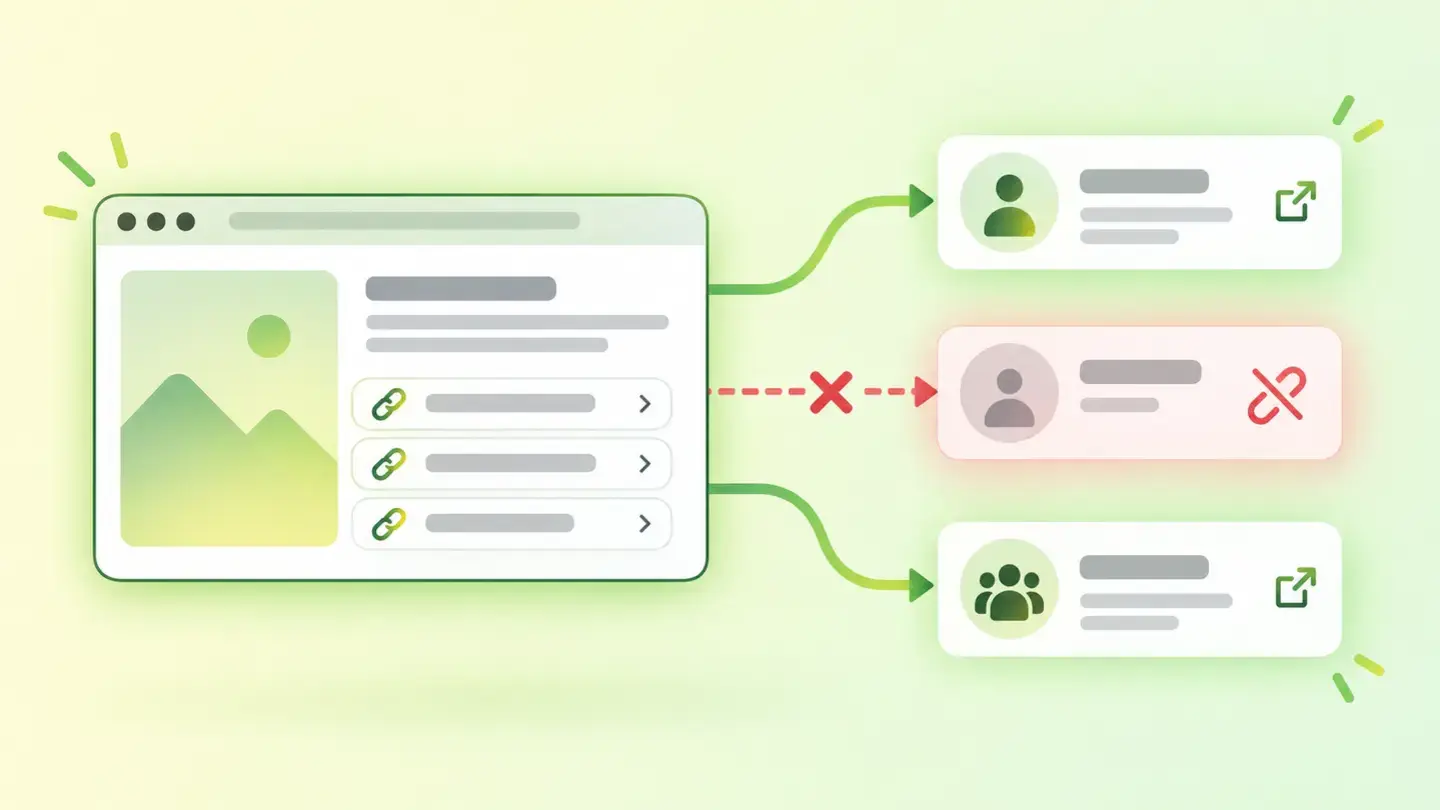
Almost every website links to the organization’s profiles on other platforms, usually with a handful of icons in the footer. This finding reviews those links and measures two different things.
The first is whether the link is valid: whether it’s written in a way that leads somewhere. The second is whether the profile is accessible, that is, whether something responds on the other side when someone other than you opens it. They’re independent failures: a link can be perfectly written and lead to a profile that no longer exists.
Both are counts, and they share a single threshold: the finding is triggered with one. There are no ranges, so one broken icon in the footer and twenty dead links produce exactly the same finding with the same severity. The report tells you how many and which, which is the part that helps you decide.
How it’s measured
Wakaris analyzes the URL you give it, finds the links going out to your profiles and tells you how many aren’t valid, how many don’t respond and the severity of the finding, without installing anything. That’s the direct way to know where you stand.
It’s one of the few checks that looks beyond your own page, because to know whether a profile responds you have to ask the other platform. That has a consequence worth keeping in mind: a platform that treats an automated request differently from a person can make a live profile look inaccessible. If the report flags one that you open without any trouble, open it in a private window without being logged in before accepting it as fine.
The scope is a single page and a single load. Profiles that are only linked from another page, or whose icons are built later by JavaScript, are left out of the count. And the check doesn’t run on every page in the dataset: the 4.6% is calculated over the pages where it did run, not over the total.
Why it matters
The first reason is the obvious one: someone clicks an icon to see you and finds nothing. It’s a small crack in credibility right at the moment they want to know more about you.
The second is less visible and weighs more. The links from your website to your profiles are the mechanism by which all of that is recognized as the same organization. Schema.org defines the sameAs property as the URL of a reference page that unambiguously indicates the item’s identity, and Google’s documentation is explicit about what it uses it for: those properties are used, in its words, behind the scenes to disambiguate your organization from other organizations. Along the same lines, the me value of the rel attribute serves, according to MDN, to indicate that the current resource is represented by the linked party.
Put plainly: the chain of links between your website and your profiles is what lets people tell you apart from someone with a similar name. If the links in the chain are broken, the chain can’t be followed.
Common causes
The most frequent cause is a username change. The profile is still live, but at a different address, and the link in the website’s footer kept the old one. Next comes the closed profile nobody removed from the template, and platforms that change the format of their addresses and leave the old ones behind.
Then there are badly written links: without the scheme in front, with a typo in the username, or pointing to the platform’s home page instead of the profile. And a case that gets overlooked: profiles that require logging in to be seen. They open for you, because you’re logged in; for anyone else, they don’t.
Finally, icons that aren’t links. When they’re built with code rather than a link tag with an address, there’s nothing to follow: Google documents that it can only crawl a link if it’s an <a> element with an href attribute, and for the same reason they can’t be checked either.
How to fix it
It’s one of the most worthwhile findings in the report, because the fix is short and done once.
Start with the list: Wakaris tells you which links fail and for which of the two reasons. Open each one in a private window, without being logged in, and separate the ones that changed address from the ones that no longer exist.
Update the first and remove the second. One fewer icon in the footer is better than an icon that leads nowhere. Write them as real links, with a link tag and an absolute https address, which is the only form that can be followed and crawled.
And take the opportunity to declare your identity, not just link it. You can list your profiles with the sameAs property in your organization markup —Google’s documentation accepts several addresses— and, if the platform supports it, close the loop in both directions with rel="me". When you’re done, run the page through Wakaris again.
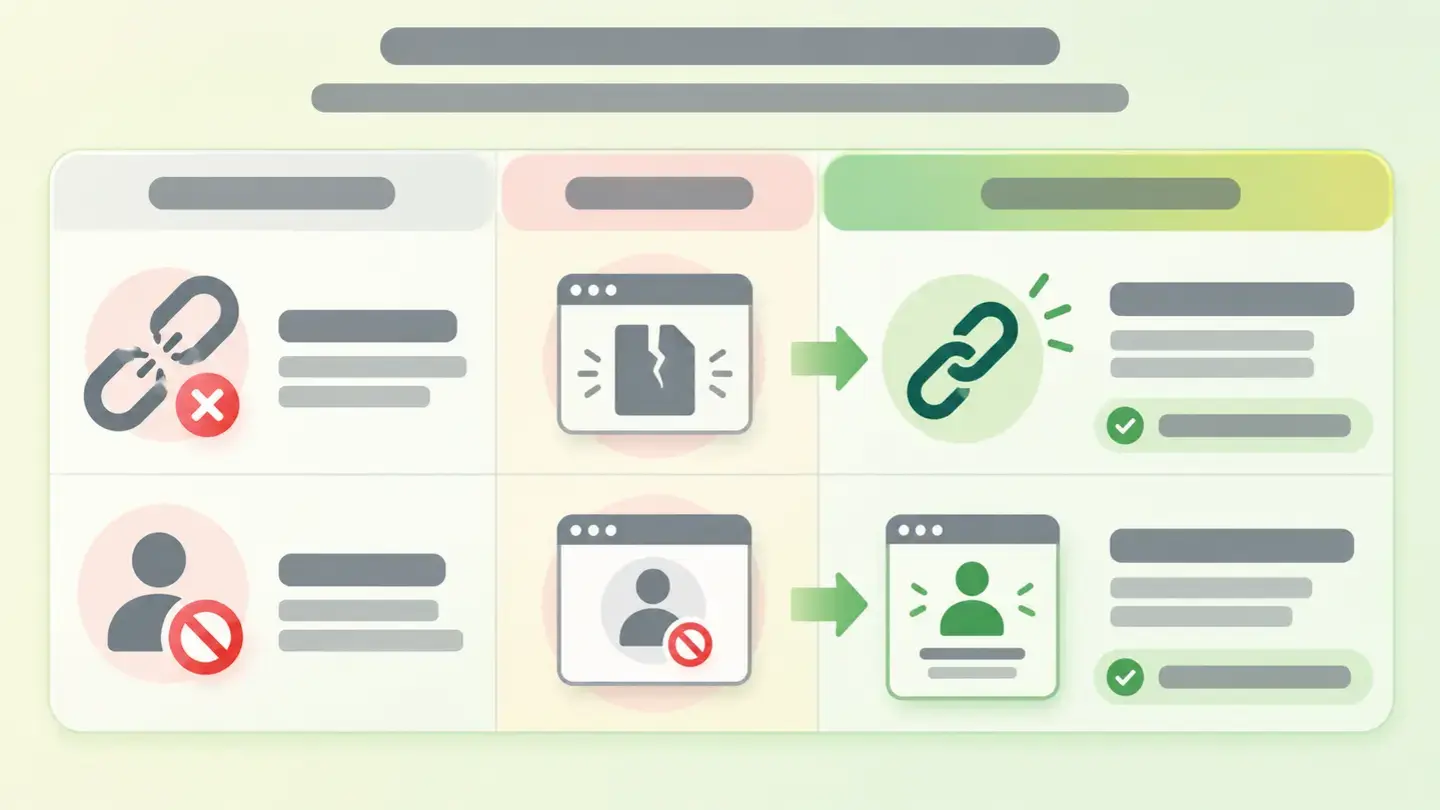
Table separating links with an outdated address from closed profiles, with the fix for each case
Brief to generate the image
Editorial illustration for a Wakaris technical guide.
Subject: Table separating links with an outdated address from closed profiles, with the fix for each case.
Style: white background with a soft lime→pale green wash (#F8F7D6 → #E2F2DC), green→lime gradient accent (#8ED390 → #DCD86F), near-black ink (#12150B), pill shapes and rounded corners, soft shadows, clean schematic look, no photography.
Format: 16:9, 1440 pixels wide.
No legible text: any label, code or figure is shown as gray placeholder bars. The caption carries the meaning, not the image.
No real logos or third-party brands. No recognizable people.
Tags: profiles, linked, table, separates, links, address, outdated, closed
Ask your AI
If you want to dig into your specific case, copy one of these two prompts and paste it into the AI you use. Pick the one that fits your situation.
I already have the finding measured with Wakaris and want to fix it
Act as a professional, careful web technical auditor. Your goal is to help me understand a specific finding about my website and decide what to do about it, without making anything up.

Context: I got this finding with Wakaris, a tool that analyzes a website across 9 areas (performance, SEO, security, social, market, AI, user experience, accessibility and legal) and explains each problem so that every profile on a team can understand it. The finding is: Linked profiles. It counts how many links from my page to my profiles on other platforms aren't valid and how many of those profiles don't respond when someone other than me opens them. Reference: the finding is triggered with just one, with no ranges.

Paste the Wakaris result here: how many links fail, which ones they are, and whether the reason is that the link isn't valid or that the profile isn't accessible. If you don't have it, tell me and I'll explain how to get it before we continue.

Rules you must follow at all times:

1. Don't assume anything about my website. Every piece of data you use must come from what I confirm to you or from what Wakaris has measured. If you don't know it, ask me before stating it.
2. Before giving me conclusions, ALWAYS ask me these questions, all together and in plain language, to find out whether this finding really affects me and where:
   a) What platform is your website on? (WordPress, Shopify, custom-built, other)
   b) Where are the links to your profiles: in the footer, in the header, on a contact page, in several places?
   c) Did you add them yourself or did they come with the template or theme you use?
   d) Of the profiles the report flags, do they still exist? Have you changed the username on any of them?
   e) Is there any that can only be seen when logged in to that platform?
   f) Are there profiles you no longer use and would rather remove than fix?
   g) Who can edit the website's footer: you, an in-house technician or an agency?
3. Every statement or recommendation must be reasoned in relation to MY context, not in general. If you recommend something, explain why it applies to my case.
4. Always state your level of certainty. If something is a hypothesis because you can't check it, say so: you can't see my website or my profiles, you reason from what I tell you.
5. Don't suggest irreversible or risky technical changes (editing the template in production, deleting whole footer blocks) without first warning me of the risk and that a backup or a test environment is advisable.
6. Don't suggest creating new profiles on platforms where I'm not present just to fill gaps: the goal is that what I link to exists and is mine.
7. If you need data that can only be obtained by analyzing the website (confirming which link fails, or whether the fix worked), tell me and recommend I run the page through Wakaris again: that gets checked, not guessed.
8. The final decision is mine, not yours. Your role is to help me understand and prepare the action, not to decide for me.
9. If the fix is beyond what I can do myself, or a team is going to carry it out, help me get the problem ready to hand over: what it is, where it is, why it matters and what needs to be done, in an actionable format for that person.

Source of this finding: https://www.wakaris.com/en/guides/online-presence/linked-profiles
To check it or check it again: https://www.wakaris.com/

Start by briefly introducing yourself in your role and asking me the first block of questions.
I haven’t measured it yet and want to check whether my website has this problem
Act as a professional, careful web technical auditor. I'm looking into whether my website has a specific problem and I want you to help me find out honestly, without taking it for granted.

Context: I came to this through Wakaris, a tool that analyzes a website across 9 areas (performance, SEO, security, social, market, AI, user experience, accessibility and legal) and explains each problem so that every profile on a team can understand it. The problem I want to look into is: Linked profiles. It's about whether the links from my page to my profiles on other platforms are valid and whether those profiles respond to someone other than me. Reference: the problem exists as soon as one fails. I DON'T know yet whether my website has it: I want to find out.

Rules you must follow at all times:

1. First and most important: this is CHECKED by following the links on my page, and you can't do that from this conversation. Make it clear from the start that you won't be able to give me a definitive "yes, you have it" or "no, you don't", only a hypothesis based on what I tell you.
2. Don't assume anything. Before giving me any assessment, ALWAYS ask me these questions, all together and in plain language, to estimate whether I'm likely to have the problem:
   a) Does your website link to your organization's profiles on other platforms? How many and from where?
   b) When did you last check that those links worked?
   c) Have you closed, renamed or abandoned any profile since the website went live?
   d) Did you add the footer icons yourself or did they come with the template?
   e) Do you know whether any of those profiles requires logging in to be seen?
   f) Have you redesigned the website or changed template without reviewing the footer?
   g) What platform is the website on? (WordPress, Shopify, custom-built, other; or I don't know)
3. Based on my answers, give me a clear estimate of whether it's LIKELY or UNLIKELY that I have it, and which of the two reasons would be the suspect, reasoned from what I've told you and explicitly marked as a hypothesis, not a diagnosis.
4. Tell me directly that the only way to really know is to check it, and that I can do it for free and without creating an account by running my website through Wakaris, which will tell me which links fail, for what reason and, along the way, the status of the other areas.
5. If I ask you how to check it by hand, don't hide it from me —I can open each link in a private window— but remind me that Wakaris does it faster, on the real page and with extra information I don't get by hand.
6. If checking it turns out that I do have it, tell me the next step is to understand how it affects me and how to fix it in my specific case.
7. The conclusion and the decision are mine, not yours. You help me find my bearings.

Source of this finding: https://www.wakaris.com/en/guides/online-presence/linked-profiles
To check it: https://www.wakaris.com/

Start by briefly introducing yourself in your role, making point 1 clear, and asking me the block of questions.
Frequently asked questions
Can a profile that opens fine for me show up as inaccessible? +
Yes, and it’s the most common false positive. You’re logged in to that platform and the check asks like any anonymous visitor. Before accepting a profile the report flags as fine, open it in a private window without logging in.
Does it matter whether I link the profile or the platform’s home page? +
It does matter. Schema.org defines the property that declares identity as the URL of a page that unambiguously indicates who the item is, and a platform’s home page says nothing about you. The link has to lead to your specific profile.
Do the icons that came with my template count? +
Only if you replaced them with your real addresses. Many templates come with sample links that point to the platforms’ home pages, and some build the icons with code instead of links, which is the case where there’s nothing to follow or crawl.
Are one broken link and ten the same finding? +
Yes. There’s a single threshold, so severity doesn’t change with the count. What changes is the work: the report gives you the count and the list, and that list tells you whether you have a one-off slip or a footer nobody has reviewed in years.
Sources cited
- schema.orgsameAs, Schema.org: definition of the property as the URL of a reference page that unambiguously indicates the item’s identity.
- developers.google.comOrganization structured data, Google Search Central: the
sameAsproperty as a recommended property, its use to disambiguate the organization from others and the option to list several addresses. - developer.mozilla.orgrel="me", MDN: the value indicates that the current resource is represented by the linked party, and its use in domain-based identification mechanisms.
- developers.google.comMake your links crawlable, Google Search Central: a link can only be crawled if it’s an
<a>element with anhrefattribute, with examples of the forms that aren’t extracted.

Updated: September 8, 2026.
This article is part of Wakaris, which analyzes your website across 9 areas and explains each finding so that every profile on your team can understand it.