In short
What it checks
whether a sitemap exists for the site of the analyzed URL and whether its content is a valid sitemap, not an empty, broken or different kind of file.
Benchmark
Google limits each sitemap to 50 MB uncompressed or 50,000 URLs, and requires UTF-8 encoding and absolute URLs.
Why it matters
it helps search engines discover your pages, especially on large or new sites or those with few external links.
Severity in Wakaris
Critical.

What this finding is and what it checks
Google defines a sitemap as a file where you provide information about the pages, videos and other files on your site, and the relationships between them. It tells the search engine which pages you consider important and provides data about them, such as when they were updated or which versions in other languages exist.
Google supports three formats. XML, which it describes as the most versatile because it can be extended with images, videos, news and localized versions. RSS, mRSS and Atom feeds, with a similar structure. And the text sitemap, the simplest: one URL per line and nothing else. In practice almost every site uses XML.
This finding has a single piece of evidence, valid sitemap, with two failure values. Missing: no sitemap is found for the site. Anomalous: something is found in its place, but it isn’t a usable sitemap, for example an error page, an empty file or an XML file that doesn’t follow the expected structure.
How it’s checked
Wakaris starts from the URL you analyze and looks for the site’s sitemap in the two usual ways: the Sitemap: line in the robots.txt file, which is where Google says it can be declared, and the conventional location at the root of the domain. If it finds nothing either way, the evidence is set to missing and the finding is marked as Critical.
If it finds a file, it downloads it and checks that it’s a real sitemap: that it responds correctly, that it’s well-formed XML with the structure of a URL list or a sitemap index, and that it contains addresses. A file that returns an error, is empty or is actually an HTML page with the sitemap name is set to anomalous.
It’s a binary check: there’s no number to beat, just a condition to meet. And it’s done on the site of the analyzed URL, not on the specific page, because the sitemap is a resource for the whole site. The report tells you where it looked and why it was considered valid or not.
Why it matters
It matters because the sitemap is the most direct way to tell the search engine which pages exist. Google explains that it helps search engines discover URLs, although it warns just as clearly that it doesn’t guarantee everything in it will be crawled and indexed. It’s a help for discovery, not an order.
That help carries more weight in three cases Google lists. When the site is large, because discovering every page by following links becomes difficult. When it’s new and has few external links, because the crawler reaches pages through links from other sites and without them may not find them. And when it has a lot of rich media content or appears in news, because the sitemap provides information about those files.
It’s also worth knowing when it matters less. Google says a small site, of about 500 pages or fewer, well linked internally and without much rich media content, may not need one. Even so, having one costs little and saves you from depending on every page being linked from another.
Common causes
The simplest cause of a missing sitemap is that it was never generated. It happens on hand-built websites or those with minimal templates, where nobody switched on the CMS option that creates it. The second is that it exists but nobody declared it: it’s not in robots.txt or at the conventional path, so neither the search engine nor Wakaris has any way of finding it.
The causes of an anomalous sitemap are more varied. The path responds, but with an error page disguised as a success, or with the home page, because the server redirects any unknown path to the home page. The file is empty because the generator failed or the cache served a broken version. The XML isn’t well formed because of a badly encoded character, when Google requires UTF-8. Or the file exceeds the limits, 50 MB uncompressed or 50,000 URLs, and the generator truncated it instead of splitting it.
And a silent cause: the sitemap lists relative URLs or URLs in a form other than the canonical one, when Google asks for full, absolute addresses and warns that it will try to crawl them exactly as they appear.
How to fix it
Start with the Wakaris report, which tells you whether there’s no sitemap or the one there is doesn’t work, and where it looked.
If it’s missing, generate it. Almost every CMS does it with an option or a plugin; on a custom-built website a script that goes through your indexable pages is enough. Include only canonical, absolute URLs in UTF-8. If it exceeds 50 MB or 50,000 URLs, split it into several sitemaps linked from a sitemap index, which allows up to 50,000 entries and must be on the same site and in the same directory as the sitemaps it lists.
Then declare it by adding the line Sitemap: https://yourdomain.com/sitemap.xml to robots.txt, anywhere in the file.
If it’s anomalous, open the sitemap URL in your browser and fix whatever it returns: the redirect, the encoding or the empty file. Take care with lastmod, which Google only uses if it’s consistent and verifiable, and it ignores priority and changefreq. Run the URL through Wakaris again to confirm the evidence is clean.
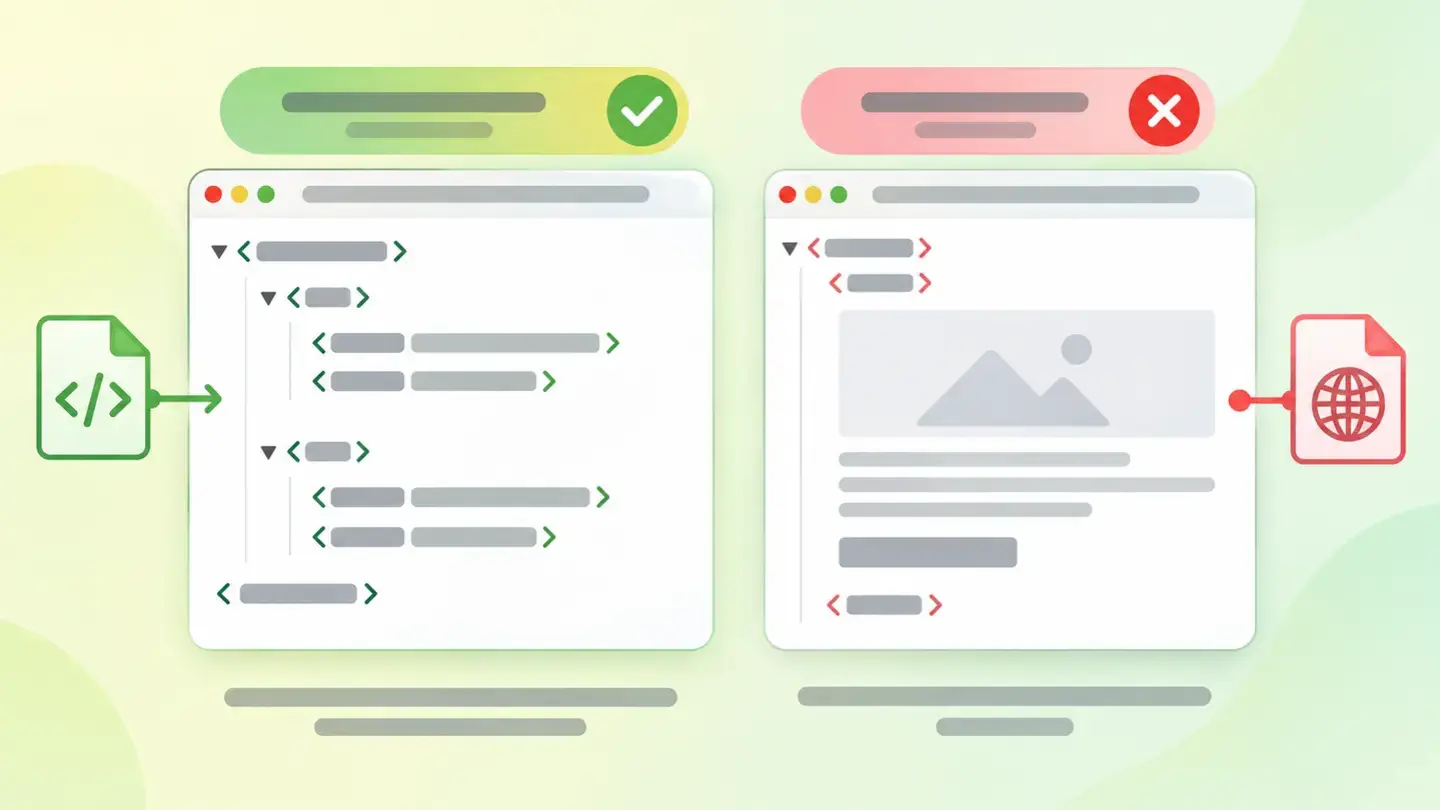
Snippet of a valid XML sitemap with the urlset tag and two url entries with loc and lastmod, next to an anomalous response that returns an HTML page
Brief for generating the image
Editorial illustration for a Wakaris technical guide.
Topic: Snippet of a valid XML sitemap with the urlset tag and two url entries with loc and lastmod, next to an anomalous response that returns an HTML page.
Style: white background with a soft lime→pale green wash (#F8F7D6 → #E2F2DC), green→lime gradient accent (#8ED390 → #DCD86F), near-black ink (#12150B), pill shapes and rounded corners, soft shadows, clean schematic look, no photography.
Format: 16:9, 1440 pixels wide.
No legible text: any label, code or figure is shown as gray placeholder bars. The caption carries the meaning, not the image.
No real logos or third-party brands. No recognizable people.
Tags: sitemap, snippet, xml, valid, tag, urlset, entries, url
Ask your AI
If you want to dig deeper into your specific case, copy one of these two prompts and paste it into the AI you use. Pick the one that fits your situation.
I already have the finding measured with Wakaris and want to fix it
Act as a professional, careful technical web reviewer. Your goal is to help me understand a specific finding about my website and decide what to do about it, without making anything up.

Context: I got this finding from Wakaris, a tool that analyzes a website across 9 areas (performance, SEO, security, social, market, AI, user experience, accessibility and legal) and explains each problem so that every profile on a team can understand it. The finding is: Sitemap. My site doesn’t have a sitemap that search engines can find, or the one it has isn’t valid: it’s empty, returns an error or isn’t a well-formed XML sitemap. Benchmark: an XML sitemap in UTF-8, with absolute and canonical URLs, of up to 50 MB or 50,000 URLs, declared in robots.txt with the "Sitemap:" line.

Paste the Wakaris result here: whether the "valid sitemap" evidence came out as missing or anomalous, and where it looked. If you don’t have it, tell me and I’ll tell you how to get it before we continue.

Rules you must follow at all times:

1. Don’t assume anything about my website. Every piece of data you use must come from what I confirm to you or from what Wakaris has measured. If you don’t know something, ask me before stating it.
2. Before giving me any conclusions, ALWAYS ask me these questions, all together and in plain language, to find out whether this finding really affects me and where:
   a) What platform is your website built on? (WordPress, Shopify, custom-built, other)
   b) Was the result "missing" or "anomalous"?
   c) If you open yourdomain.com/sitemap.xml in your browser, what do you see: a list of addresses, an error page, your website’s home page, or nothing?
   d) Do you have a robots.txt file, and do you know whether it mentions the sitemap?
   e) Roughly how many pages does your website have: dozens, hundreds, thousands?
   f) Do you use an SEO plugin or module that might be generating the sitemap?
   g) If a technical fix is needed, would you do it yourself, or would an in-house technician or an agency do it?
3. Every statement or recommendation must be justified in terms of MY context, not in general. If you recommend something, explain why it applies to my case.
4. Always state your level of certainty. If something is a hypothesis because you can’t measure it, say so: you can’t see my website, you’re reasoning from what I tell you.
5. Don’t suggest irreversible or risky technical changes (server configuration, deleting resources, direct changes in production) without first warning me about the risk and that a backup or a test environment is advisable.
6. If you need data that can only be obtained by checking the website (confirming what the sitemap path returns, or whether the fix worked), tell me and recommend that I run the page through Wakaris again: that gets checked, not guessed.
7. The final decision is mine, not yours. Your role is to help me understand and prepare the action, not to decide for me.
8. If the fix goes beyond what I can do myself, or a team will carry it out, help me get the problem ready to hand over: what it is, where it is, why it matters and what should be done, in a format that person can act on.

Source of this finding: https://www.wakaris.com/en/guides/seo/sitemap
To check it or check it again: https://www.wakaris.com/

Start by briefly introducing yourself in your role and asking me the first set of questions.
I haven’t measured it yet and want to check whether my website has this problem
Act as a professional, careful technical web reviewer. I’m looking into whether my website has a specific problem, and I want you to help me find out honestly, without taking it for granted.

Context: I came to this through Wakaris, a tool that analyzes a website across 9 areas (performance, SEO, security, social, market, AI, user experience, accessibility and legal) and explains each problem so that every profile on a team can understand it. The problem I want to look into is: Sitemap. A sitemap is a file, usually XML, that lists a website’s pages so search engines can discover them. The problem is when it doesn’t exist, nobody has declared it, or the one there is is empty, broken or not really a sitemap. I DON’T know yet whether my website has it: I want to find out.

Rules you must follow at all times:

1. First and most important: this is CHECKED on the real site, and you can’t access my website from this conversation. Make it clear from the start that you won’t be able to give me a definitive "yes, you have it" or "no, you don’t", only a hypothesis based on what I tell you.
2. Don’t assume anything. Before giving me any assessment, ALWAYS ask me these questions, all together and in plain language, to estimate whether I’m likely to have the problem:
   a) What platform is your website built on? (WordPress, Shopify, custom-built, other; or I don’t know)
   b) Do you know whether anyone ever switched on the sitemap option in the CMS or installed an SEO plugin?
   c) If you type yourdomain.com/sitemap.xml into your browser, what appears?
   d) Roughly how many pages does your website have, and how long ago was it launched?
   e) Have you ever changed domain, platform or address structure?
   f) Do you notice that new pages take a long time to appear in search engines?
3. Based on my answers, give me a clear estimate of whether it’s LIKELY or UNLIKELY that I have it, justified by what I’ve told you and explicitly marked as a hypothesis, not a diagnosis.
4. Tell me directly that the only way to really know is to check it, and that I can do it for free and without creating an account by running my website through Wakaris, which will tell me whether it finds the sitemap, whether it’s valid and, along the way, the status of the other areas.
5. If I ask you how to check it by hand, don’t hide it from me, but remind me that Wakaris does it faster, on the real site and with extra information I don’t get by hand.
6. If, once checked, it turns out I do have it, tell me the next step is to understand how it affects me and how to fix it in my specific case.
7. The conclusion and the decision are mine, not yours. You help me find my way.

Source of this finding: https://www.wakaris.com/en/guides/seo/sitemap
To check it: https://www.wakaris.com/

Start by briefly introducing yourself in your role, making point 1 clear, and asking me the set of questions.
Frequently asked questions
Does a sitemap guarantee that Google will index my pages? +
No. Google states that the sitemap helps discover your site’s URLs, but doesn’t guarantee that everything in it will be crawled and indexed. It decides that by other criteria, such as content quality. The sitemap saves it the work of finding the pages; convincing it to show them is another matter.
My website is small. Do I need a sitemap anyway? +
According to Google, a site of about 500 pages or fewer, well linked internally and without much rich media content, can work without one. But generating it costs little, almost every CMS does it on its own, and it prevents a page from going undiscovered because nobody linked to it. Wakaris treats it as a basic requirement.
What’s the maximum size of a sitemap? +
Google limits each sitemap to 50 MB uncompressed or 50,000 URLs, whichever comes first. If you exceed that, you have to split it into several sitemaps and group them in a sitemap index, which in turn allows up to 50,000 entries and must be hosted on the same site as the sitemaps it lists.
Are the priority and changefreq tags any use? +
For Google, no: its documentation says it ignores priority and changefreq values. The one it does use is lastmod, and only if it’s consistently and verifiably accurate, reflecting the page’s last significant update. Putting fake dates to look recent is the way to make it stop taking it into account.
Sources cited
- developers.google.comWhat is a sitemap, Google Search Central: definition, when one is needed (large site, new site with few external links, lots of rich media content), when it may not be needed (about 500 pages or fewer) and the lack of any guarantee of crawling and indexing.
- developers.google.comBuild and submit a sitemap, Google Search Central: the three formats, the 50 MB or 50,000 URL limit, UTF-8, absolute and canonical URLs, the
Sitemap:line inrobots.txt, the use oflastmodand the disregard ofpriorityandchangefreq. - developers.google.comManage your sitemaps with sitemap index files, Google Search Central: the sitemap index, its 50,000 entries and the requirement to host it on the same site and in the same directory as the sitemaps it references.

Updated: September 7, 2026.
This article is part of Wakaris, which analyzes your website across 9 areas and explains each finding so that every profile on your team can understand it.