In short
What is checked
the form of the declarations that say which version of your content matches each language or region.
When it’s triggered
invalid codes, relative addresses, malformed declarations, duplicates pointing to the same target or conflicting declarations.
Why it matters
a formatting defect doesn’t break anything, it just makes the annotations get ignored, and that goes unnoticed.
Severity in Wakaris
Improvement. It appears on 0.4% of analyzed pages, an internal catalog figure, and can only be triggered where someone has declared hreflang.
What this finding is and what it checks
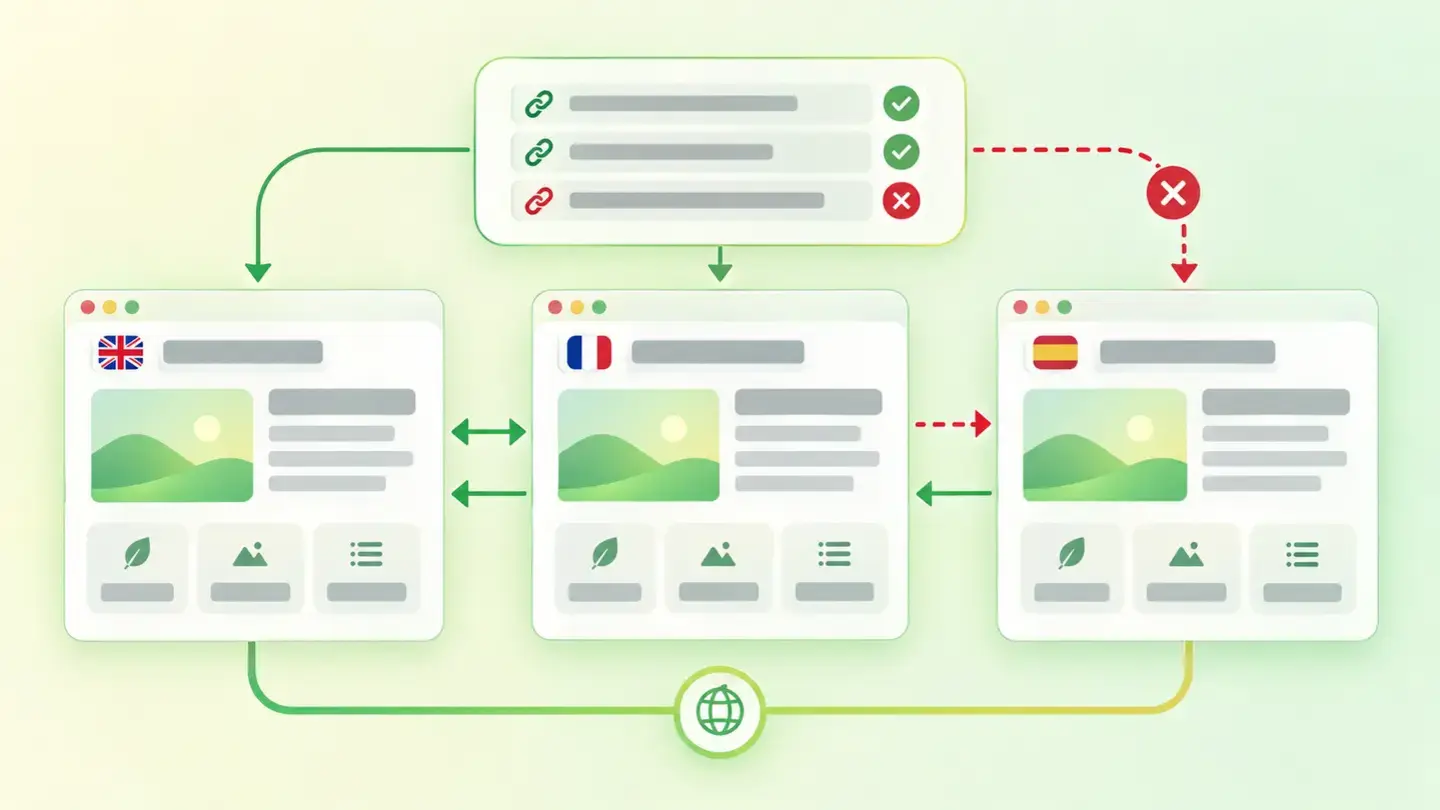
When a website has the same page in several languages or for several countries, it needs to tell the search engine. That’s hreflang: annotations that declare, for each version, which language and region it corresponds to. Google describes it like this: they’re used to tell it about the variants of your content, so it understands those pages are localized variations of the same thing.
This finding doesn’t check whether you have hreflang, but whether what you have is set up correctly. It looks at four things: the declared language code, the address each declaration points to, the form of the declarations themselves and whether some contradict others.
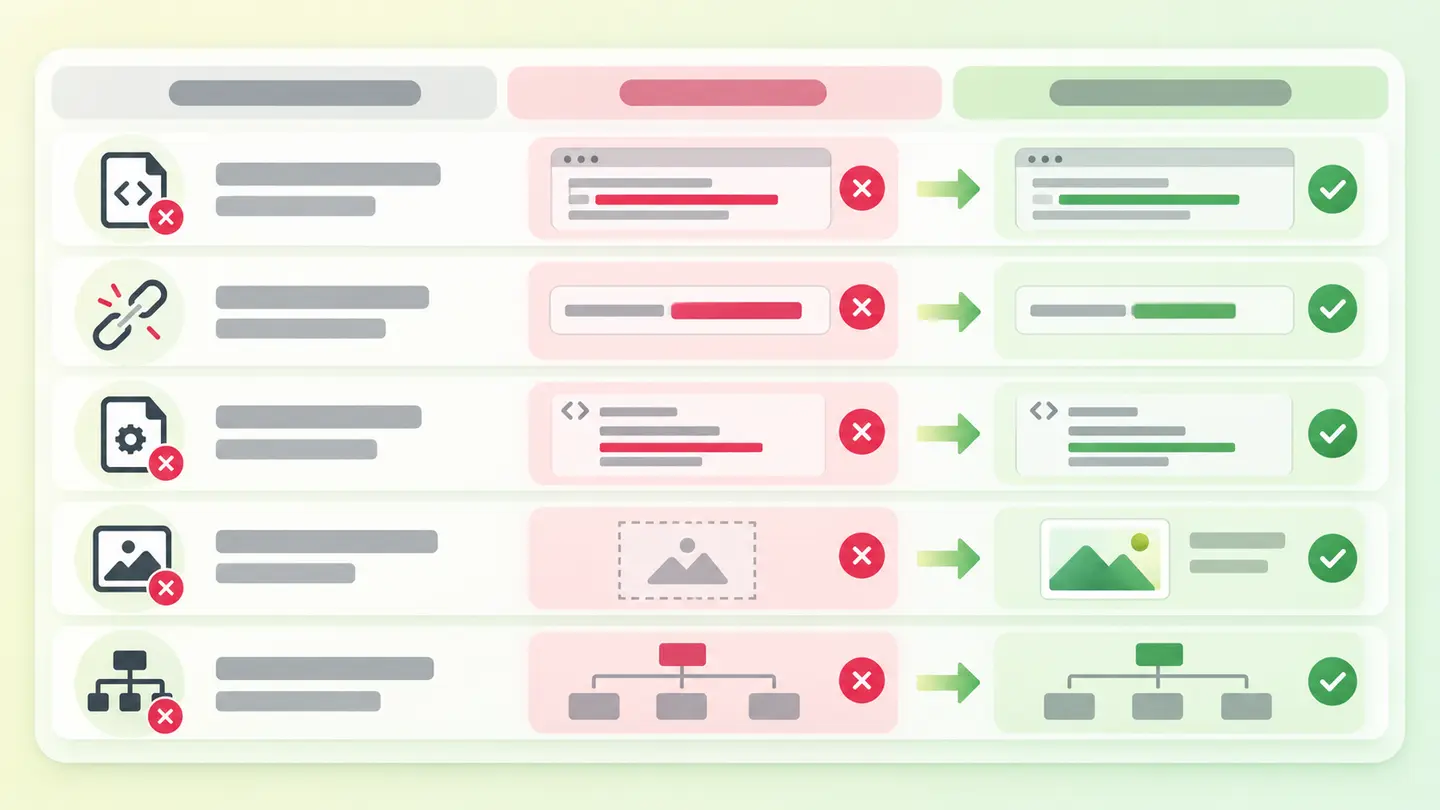
From that come the five cases that trigger the finding: invalid codes, relative addresses instead of full ones, malformed declarations, several different declarations pointing to the same target, and declarations that conflict with each other. If your website is in a single language and declares nothing, this finding doesn’t apply to you.
How it’s checked
Wakaris analyzes the URL you give it, reads that page’s hreflang declarations and tells you which of the five defects appears, with the severity of the finding and without installing anything. That’s the direct way to know where you stand.
There’s a limit worth understanding before you read the result, because it’s fundamental. Hreflang annotations are reciprocal: Google says it plainly, if two pages don’t point to each other, the tags are ignored. And that reciprocity can’t be seen from a single page. The check tells you whether this page’s declarations are well made; whether the French version returns the favor is another check, and requires looking at that other address too.
The second limit is one of method. Google accepts three equivalent ways of declaring hreflang: in the HTML head, in the response headers or in the sitemap. What isn’t stated is which of the three this check reads, so a website that declares it only in the sitemap could show up as declaring nothing.
Why it matters
What makes this finding dangerous is that it doesn’t hurt. A misdeclared hreflang doesn’t break the page, doesn’t throw an error and doesn’t warn you: it simply stops counting. Google is explicit about what happens when return links are missing, and the same goes for a formatting defect: those annotations may be ignored or not interpreted correctly.
And they’re not an order, but information. MDN says the attribute is purely advisory, and Google frames it as telling it about the variants, not imposing one. So when the information arrives wrong, the search engine decides on its own which version to show.
That’s exactly where the cost lies. Someone searching in their language lands on another country’s version, with other prices, another phone number and another delivery time. It’s not a rankings problem: it’s traffic you already had landing on the wrong page, precisely in the markets where you invested in translation.
Common causes
The first is the made-up language code. Only ISO 639-1 language codes and ISO 3166-1 Alpha 2 region codes are valid, and it’s common to write the region the way it’s said rather than the way it’s coded. The other classic is separating language and region with an underscore instead of a hyphen, or putting a country where a language goes.
The second is the relative address. The template writes the path of the translated version without the domain, and the rule is explicit: alternate addresses must be complete, including the protocol.
The third and fourth come from the same place: a template loop that generates one declaration per available language and makes them all point to the same page, or that outputs two declarations for the same language with different addresses. And the fifth is the missing self-reference: each version must include itself as well as the others.
How to fix it
Wakaris tells you which of the five defects you have, and the order of the fix follows from that.
Codes first, because they’re the most frequent and cheapest error: language from ISO 639-1, region from ISO 3166-1 Alpha 2, separated by a hyphen. Capital letters aren’t the problem: the language tag standard says they’re treated as case-insensitive.
Next, full addresses with protocol, a single declaration per language and region, and each version’s self-reference. Add x-default for when no variant matches the visitor’s settings, which is the use the standard itself reserves for it.
Pick one of the three ways of declaring it and stick with it: keeping two at once is the fastest route to a conflict. And when you’ve finished with this page, check the return link from the other versions, which is the half you can’t see from here. Then run the page through Wakaris again.
Table with the five defects that trigger the finding, an example of each one and its correction
Brief to generate the image
Editorial illustration for a Wakaris technical guide.
Subject: Table with the five defects that trigger the finding, an example of each one and its correction.
Style: white background with a soft lime→pale green wash (#F8F7D6 → #E2F2DC), green→lime gradient accent (#8ED390 → #DCD86F), near-black ink (#12150B), pill shapes and rounded corners, soft shadows, clean schematic look, no photography.
Format: 16:9, 1440 pixels wide.
No legible text: any label, code or figure is shown as gray placeholder bars. The caption carries the meaning, not the image.
No real logos or third-party brands. No recognizable people.
Tags: hreflang, misdeclared, table, defects, trigger, finding, example
Ask your AI
If you want to dig into your specific case, copy one of these two prompts and paste it into the AI you use. Pick the one that fits your situation.
I already have the finding measured with Wakaris and want to fix it
Act as a professional, careful web technical auditor. Your goal is to help me understand a specific finding about my website and decide what to do about it, without making anything up.

Context: I got this finding with Wakaris, a tool that analyzes a website across 9 areas (performance, SEO, security, social, market, AI, user experience, accessibility and legal) and explains each problem so that every profile on a team can understand it. The finding is: Hreflang. It reviews the form of the declarations that say which version of my content matches each language or region. Reference: the finding is triggered by invalid language codes, relative addresses, malformed declarations, several declarations pointing to the same target, or conflicting declarations.

Paste the Wakaris result here: which of the five defects appears, on which page and, if it says so, in which specific declaration. If you don't have it, tell me and I'll explain how to get it before we continue.

Rules you must follow at all times:

1. Don't assume anything about my website. Every piece of data you use must come from what I confirm to you or from what Wakaris has measured. If you don't know it, ask me before stating it.
2. Before giving me conclusions, ALWAYS ask me these questions, all together and in plain language, to find out whether this finding really affects me and where:
   a) What platform is your website on and which plugin or system do you use to manage languages?
   b) How many languages is it in and for how many countries? Are there two versions of the same language for different countries?
   c) How are the versions organized: in folders, subdomains or separate domains?
   d) Do you know whether the declarations are generated by the template, by the language plugin, or written by hand?
   e) Are they declared in the page's HTML, in the response headers or in the sitemap? In more than one place at once?
   f) Do all versions point to each other, including each one's self-reference?
   g) If the template needs changing, would you do it yourself, an in-house technician or an agency?
3. Every statement or recommendation must be reasoned in relation to MY context, not in general. If you recommend something, explain why it applies to my case.
4. Always state your level of certainty. If something is a hypothesis because you can't check it, say so: you can't see my website, you reason from what I tell you.
5. Don't suggest irreversible or risky technical changes (editing the template in production, changing the website's language structure, moving content between domains) without first warning me of the risk and that a backup or a test environment is advisable.
6. Don't suggest adding languages I haven't translated or declaring versions that don't exist: the goal is for what's declared to match what's there.
7. If you need data that can only be obtained by analyzing the website (confirming which declaration fails, or whether the fix worked), tell me and recommend I run the page through Wakaris again: that gets checked, not guessed.
8. The final decision is mine, not yours. Your role is to help me understand and prepare the action, not to decide for me.
9. If the fix is beyond what I can do myself, or a team is going to carry it out, help me get the problem ready to hand over: what it is, where it is, why it matters and what needs to be done, in an actionable format for that person.

Source of this finding: https://www.wakaris.com/en/guides/seo/misdeclared-hreflang
To check it or check it again: https://www.wakaris.com/

Start by briefly introducing yourself in your role and asking me the first block of questions.
I haven’t measured it yet and want to check whether my website has this problem
Act as a professional, careful web technical auditor. I'm looking into whether my website has a specific problem and I want you to help me find out honestly, without taking it for granted.

Context: I came to this through Wakaris, a tool that analyzes a website across 9 areas (performance, SEO, security, social, market, AI, user experience, accessibility and legal) and explains each problem so that every profile on a team can understand it. The problem I want to look into is: Misdeclared hreflang. It's about whether the declarations that say which version of my content matches each language or region are well-formed. Reference: the problem exists when there are invalid codes, relative addresses, malformed declarations, duplicates pointing to the same target or conflicting declarations. I DON'T know yet whether my website has it: I want to find out.

Rules you must follow at all times:

1. First and most important: this is CHECKED by reading my pages' code, and you can't do that from this conversation. Make it clear from the start that you won't be able to give me a definitive "yes, you have it" or "no, you don't", only a hypothesis based on what I tell you.
2. Don't assume anything. Before giving me any assessment, ALWAYS ask me these questions, all together and in plain language, to estimate whether I'm likely to have the problem:
   a) Is your website in more than one language or does it have versions for different countries? If the answer is no, tell me: this problem wouldn't apply to me.
   b) How many languages and how many countries, and are there two versions of the same language?
   c) How are the versions separated: folders, subdomains or separate domains?
   d) Who set up the multilingual part: a plugin, the template, or someone by hand?
   e) Have you noticed people from one country landing on another country's version, or complaints about prices or phone numbers that don't match?
   f) Did you add or remove any language after building the website?
   g) What platform is the website on? (WordPress, Shopify, custom-built, other; or I don't know)
3. Based on my answers, give me a clear estimate of whether it's LIKELY or UNLIKELY that I have it, and which of the five defects would be the suspect, reasoned from what I've told you and explicitly marked as a hypothesis, not a diagnosis.
4. Tell me directly that the only way to really know is to check it, and that I can do it for free and without creating an account by running my website through Wakaris, which will tell me which defect appears, in which declaration and, along the way, the status of the other areas.
5. If I ask you how to check it by hand, don't hide it from me, but remind me that Wakaris does it faster, on the real page and with extra information I don't get by hand.
6. If checking it turns out that I do have it, tell me the next step is to understand how it affects me and how to fix it in my specific case.
7. The conclusion and the decision are mine, not yours. You help me find my bearings.

Source of this finding: https://www.wakaris.com/en/guides/seo/misdeclared-hreflang
To check it: https://www.wakaris.com/

Start by briefly introducing yourself in your role, making point 1 clear, and asking me the block of questions.
Frequently asked questions
Is a malformed tag the same as an invalid one? +
No, and the language tag standard separates the two. A tag is well-formed if it follows the expected structure, and valid if, in addition, all its parts appear in the official registry. A tag can have the right shape and name a language or region that doesn’t exist.
Does adding hreflang help me rank better? +
That’s not what it’s for. MDN describes the attribute as purely advisory, and Google frames it as telling it which variants you have. What it decides is which version of your page is shown to whom, not what position it appears in. Its effect shows in the right market, not in rankings.
My tags are written correctly and still don’t work. Why? +
Most likely the return link is missing. The annotations are reciprocal and Google is categorical: if two pages don’t point to each other, the tags are ignored. That can’t be seen by analyzing a single page, so you also need to review the other versions.
Do I need hreflang if my website is only in Spanish? +
No. These annotations exist to relate versions of the same content in different languages or regions, and without versions there’s nothing to relate. If your website doesn’t declare any, this finding can’t be triggered for you: it only reviews the form of what’s already declared.
Sources cited
- developers.google.comLocalized versions of your pages, Google Search Central: what the annotations are for, the three equivalent ways of declaring them, reciprocity and self-reference, full addresses, the accepted code registries and the
x-defaultvalue. - rfc-editor.orgRFC 5646, Tags for Identifying Languages: the structure of a language tag, the distinction between a well-formed tag and a valid tag, and case-insensitive handling.
- developer.mozilla.org<link>, MDN: the
hreflangattribute indicates the language of the linked resource, is purely advisory and its values must be valid language tags.

Updated: September 8, 2026.
This article is part of Wakaris, which analyzes your website across 9 areas and explains each finding so that every profile on your team can understand it.