In short
What’s measured
three things: whether there’s detectable analytics, how many events are sent twice and how many tracking requests aren’t correct.
Clean result
analytics present, zero duplicates and zero incorrect requests. The counts allow no margin.
Why it matters
duplicated data isn’t incomplete data, it’s false data, and decisions get made on it just the same.
Severity in Wakaris
Important. It fails on 71.6% of the pages analyzed.
What this finding is and what it measures
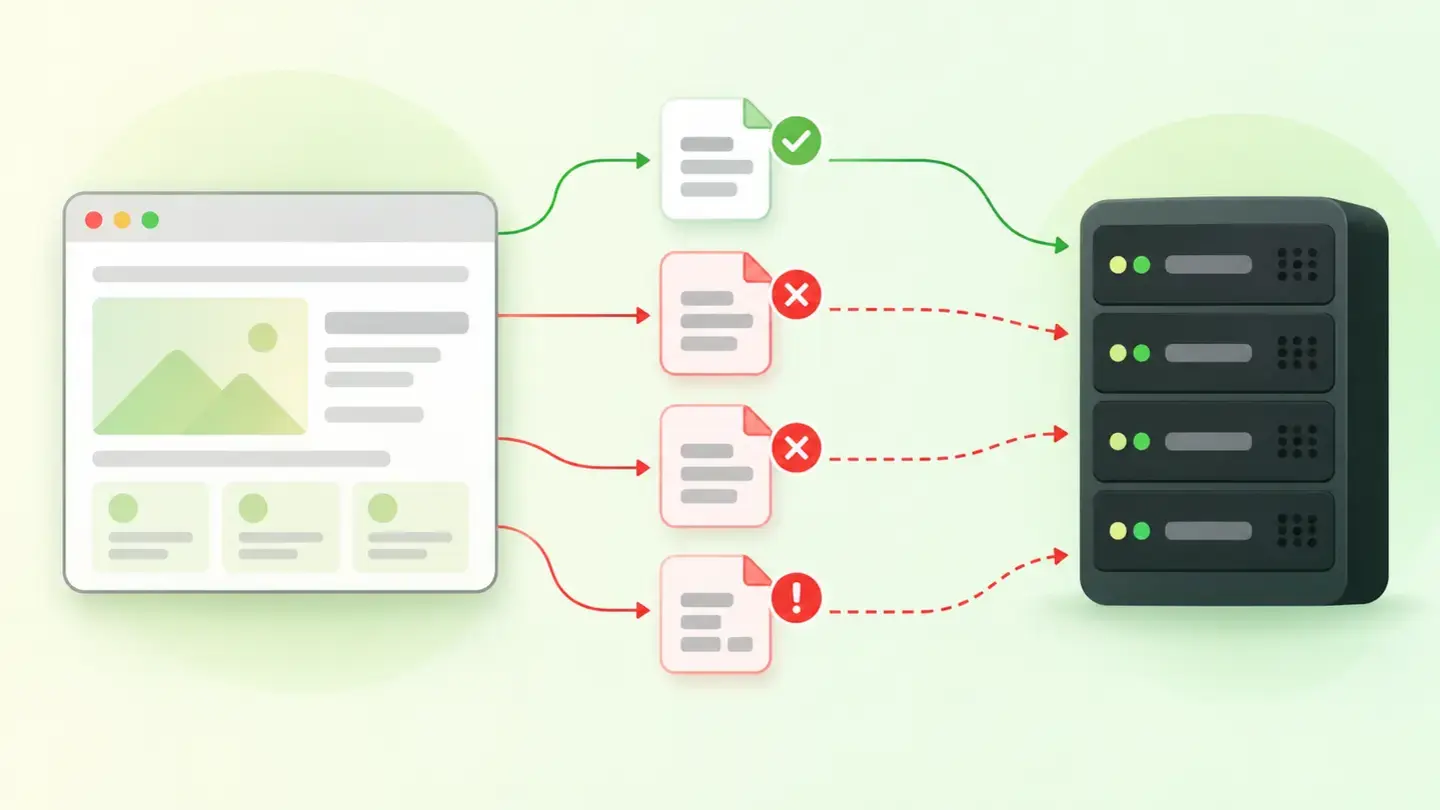
Tracking a website means the page sends a server small notices of what happens: someone arrived, viewed a page, clicked something. Those notices are sent as network requests that leave the browser while the person browses.
The finding checks three different things in that circuit. The first is whether there’s detectable analytics: whether any tracking system can be recognized on the page, or none at all. The second is duplicate events: the same notice sent two or more times for a single action. The third is correct tracking requests: whether what goes out to the server is properly built or is missing something.
The three are read together, because they describe three failures that look alike from the outside and have nothing to do with each other: not tracking, tracking too much and tracking wrong.
How it’s measured
Wakaris loads the URL you give it, looks at the tracking code on the page and the requests going out to tracking servers, and returns the three pieces of evidence separately, without installing anything. That’s the direct way to know where you stand.
On how to read the cut-offs. The presence of analytics is a yes or no: there’s no middle ground between having tracking and not having it. The other two results are counts, and the cut-off is zero: a single duplicate event or a single incorrect request is already a finding. It’s a deliberately strict criterion, because nothing offsets a duplicate.
And one limitation to keep in mind when reading the report: the check is done on a specific URL and in a single load, so it sees what fires when the page opens. What only happens when someone fills in a form or goes through half the website isn’t on the same level. Wakaris gives you the status of the load; the rest is checked by whoever knows the circuit.
Why it matters
It matters because the cost of bad tracking isn’t being left without data: it’s making decisions on data that looks good.
A duplicate event inflates everything that has it in the numerator. If a form submission is counted twice, the conversion rate doubles and the cost per conversion is cut in half. Nothing in the report warns you that the figure is false: it’s a plausible figure.
Malformed requests fail in a different way. MDN warns that browsers don’t guarantee asynchronous requests if the page is about to unload, and that on mobile the closing events often never fire. The data from the last action of the session is exactly what gets dropped.
And having no analytics is the simplest case and the most commonly underestimated: without it you can’t know whether a change improved anything, so decisions are made on gut feeling and defended by seniority.
Common causes
Each of the three pieces of evidence has its own family of culprits, and they’re fairly recognizable.
Duplicates almost always come from a double installation: the same system added once in the template and again through a tag manager, each unaware of the other. The web.dev documentation lists it as a classic mistake: don’t use the same functionality from two different providers, and periodically review redundant third-party scripts. The second cause is a half-finished migration, with the new tracking in place and the old one never removed.
Incorrect requests come from empty IDs or IDs copied from another environment, missing required parameters, and code that sends data at the moment the page closes using a normal request, which is exactly when the browser guarantees nothing.
Missing analytics is usually partial, which is why it goes unnoticed: it was installed on the homepage but not on the product or blog templates, or a theme change wiped out the code snippet.
How to fix it
Start from the Wakaris report, which tells you which of the three pieces of evidence is failing: the three fixes are nothing alike.
If there’s no detectable analytics, install it in the site’s shared template, not page by page, which is what creates the gaps.
If there are duplicates, count how many times the tracking system loads and keep a single installation, with one owner of the sending. If a tag manager already loads it, remove the snippet from the template instead of letting both coexist.
If there are incorrect requests, check three things. The ID and the required parameters, where most errors are. The timing of the send: MDN recommends sending end-of-session data when the visibility state changes to hidden, the last moment the page reliably observes, instead of waiting for it to close. And the size: guaranteed sending is limited to 64 KiB, and above that the browser refuses to queue it.
Then run the URL through Wakaris again and check that all three pieces of evidence come back clean.
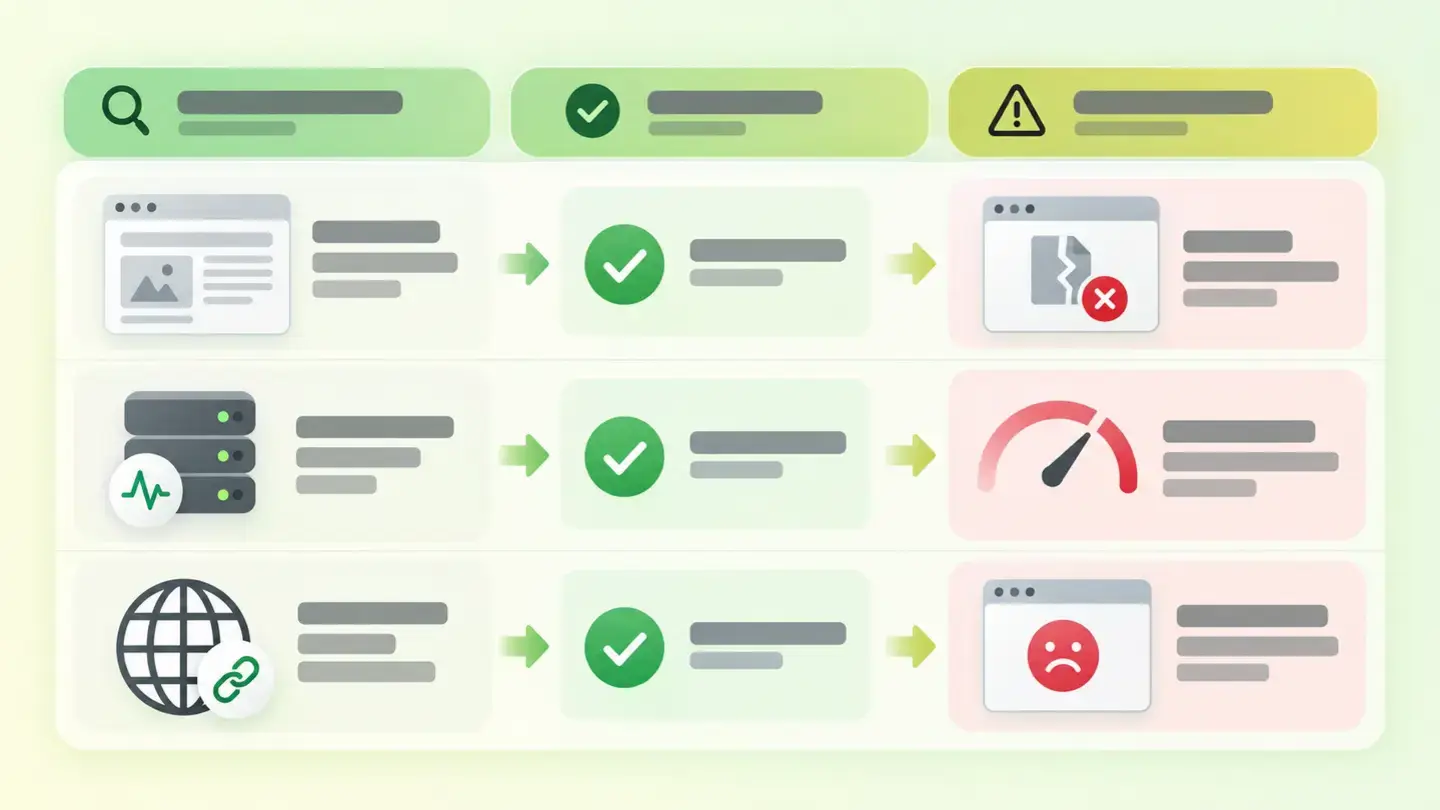
Table with the finding’s three pieces of evidence, their clean result and the symptom each failure produces
Brief to generate the image
Editorial illustration for a Wakaris technical guide.
Topic: Table with the finding’s three pieces of evidence, their clean result and the symptom each failure produces.
Style: white background with a soft lime→pale green wash (#F8F7D6 → #E2F2DC), green→lime gradient accent (#8ED390 → #DCD86F), near-black ink (#12150B), pill shapes and rounded corners, soft shadows, clean schematic look, no photography.
Format: 16:9, 1440 pixels wide.
No legible text: any label, code or figure is shown as gray placeholder bars. The caption carries the meaning, not the image.
No real logos or third-party brands. No recognizable people.
Tags: tracking, web, table, evidence, finding, result, clean, symptom
Ask your AI
If you want to dig into your specific case, copy one of these two prompts and paste it into the AI you use. Pick the one that fits your situation.
I already have the finding measured with Wakaris and want to fix it
Act as a professional, careful technical web analyst. Your goal is to help me understand a specific finding about my website and decide what to do about it, without making anything up.

Context: I got this finding from Wakaris, a tool that analyzes a website across 9 areas (performance, SEO, security, social, market, AI, user experience, accessibility and legal) and explains each problem so that every profile on a team can understand it. The finding is: Web tracking. It checks three things in the page’s analytics circuit: whether there’s any detectable tracking system, how many events are sent twice and how many tracking requests go out malformed. The clean result is: analytics present, zero duplicates and zero incorrect requests.

Paste the Wakaris result here: which piece of evidence fails, with what count and on which page. If you don’t have it, tell me and I’ll explain how to get it before we continue.

Rules you must follow at all times:

1. Don’t assume anything about my website. Every piece of data you use must come from what I confirm or what Wakaris has measured. If you don’t know something, ask me before stating it.
2. Before giving me conclusions, ALWAYS ask me these questions, all together and in plain language, to find out whether this finding really affects me and where:
   a) What platform is your website on? (WordPress, Shopify, custom-built, other)
   b) Which piece of evidence failed: analytics missing, duplicate events or incorrect requests? If there’s a count, tell me the number.
   c) How is tracking set up: a code snippet in the template, a tag manager, a CMS module, or several of those at once?
   d) Do you know whether someone installed tracking twice, or whether there was a system migration and the old one wasn’t removed?
   e) Does the finding appear on one page or on many? Do you know whether tracking is on all templates or only some?
   f) Have you noticed figures that don’t add up: conversions that look like double the real orders, or visits that don’t show up?
   g) If a technical fix is needed, would you do it yourself, an in-house technician or an agency?
3. Every statement or recommendation must be reasoned in relation to MY context, not in general. If you recommend something, explain why it applies to my case.
4. Always flag your level of certainty. If something is a hypothesis because you can’t measure it, say so: you can’t see my website, you’re reasoning about what I tell you.
5. Don’t suggest irreversible or risky technical changes (removing tracking code on the live site, touching the tag manager) without first warning me about the risk, that a backup is advisable and that I’ll lose historical comparison if I change the way things are counted.
6. Warn me about a trap: if I remove one of the two duplicate installations, my figures will drop suddenly. That isn’t a drop in business, it’s the correct data. Help me note it down with the date of the change.
7. If you need data that can only be obtained by checking the website (confirming the real count, the exact page, or whether the fix worked), tell me and recommend that I run the page through Wakaris again: that gets checked, not guessed.
8. The final decision is mine, not yours. Your role is to help me understand and prepare the action, not to decide for me.
9. If the fix goes beyond what I can do myself, or a team will carry it out, help me get the problem ready to hand over: what it is, where it is, why it matters and what needs to be done, in an actionable format for that person.

Source for this finding: https://www.wakaris.com/en/guides/marketing/web-tracking
To check it or check it again: https://www.wakaris.com/

Start by briefly introducing yourself in your role and asking me the first set of questions.
I haven’t measured it yet and want to check if my website has this problem
Act as a professional, careful technical web analyst. I’m looking into whether my website has a specific problem and I want you to help me find out honestly, without taking it for granted.

Context: I came across this through Wakaris, a tool that analyzes a website across 9 areas (performance, SEO, security, social, market, AI, user experience, accessibility and legal) and explains each problem so that every profile on a team can understand it. The problem I want to look into is: Web tracking. It means the page has no detectable analytics system, or sends the same event more than once, or its tracking requests go out malformed. I DON’T know yet whether my website has it: I want to find out.

Rules you must follow at all times:

1. First and most important: this is checked by observing the page and the requests that leave it, and you can’t observe my website from this conversation. Make it clear from the start that you won’t be able to give me a definitive "yes, you have it" or "no, you don’t", only a hypothesis based on what I tell you.
2. Don’t assume anything. Before giving me any assessment, ALWAYS ask me these questions, all together and in plain language, to estimate whether I’m likely to have the problem:
   a) Do you know whether your website has analytics installed? Who set it up and when?
   b) Is it set up as a code snippet in the template, with a tag manager, with a CMS module, or don’t you know?
   c) Has more than one person or agency worked on the tracking over time?
   d) Did you switch tracking systems at some point? Was the old one removed?
   e) Do your figures match the reality of the business: forms received, orders, calls?
   f) Are there areas of the website (blog, product pages, private area) where you suspect nothing is tracked?
   g) What platform is the website on? (WordPress, Shopify, custom-built, other; or I don’t know)
3. Based on my answers, give me a clear estimate of whether it’s LIKELY or UNLIKELY that I have it, and which of the three pieces of evidence would be the suspect, reasoned from what I’ve told you and explicitly marked as a hypothesis, not a diagnosis.
4. Tell me plainly that the only way to know for sure is to check it, and that I can do it for free and without creating an account by running my website through Wakaris, which will tell me whether there’s detectable analytics, how many events are sent twice, how many requests are incorrect and the status of the other areas too.
5. If I ask you how to check it by hand, don’t hide it from me, but remind me that Wakaris does it faster, on the real page and with additional information I don’t get by hand.
6. Be honest about what can’t be seen in a single load: events that depend on someone filling in a form or browsing several pages need a separate check. Don’t make me believe that reviewing the homepage covers the whole circuit.
7. If checking shows that I do have it, tell me the next step is to understand how it affects me and how to fix it in my specific case.
8. The conclusion and the decision are mine, not yours. You help me find my bearings.

Source for this finding: https://www.wakaris.com/en/guides/marketing/web-tracking
To check it: https://www.wakaris.com/

Start by briefly introducing yourself in your role, making point 1 clear, and asking me the set of questions.
Frequently asked questions
Why does a single duplicate event already count as a finding? +
Because the cut-off is zero and there’s no way to offset it. A duplicate doesn’t add evenly spread noise: it multiplies one specific figure and leaves the rest intact, so the report still looks consistent while one of its metrics is double the real value.
Why is data lost when the page is closed? +
Because the browser doesn’t guarantee asynchronous requests when the page is about to unload, according to MDN, and on mobile the closing events often never fire. That’s what beacon-type sending is for: the browser commits to starting and completing it.
How much information can be sent at once? +
Browser-guaranteed sending is limited to 64 KiB, that is 65,536 bytes, according to the MDN documentation. If the data goes over that, the browser doesn’t queue it and the send is lost: it has to be split or sent another way.
Does tracking slow down my website? +
It can, because these are external scripts. The web.dev documentation warns that if a third-party server fails, rendering can be blocked until the request times out, between 10 and 80 seconds. Loading them without blocking rendering avoids that risk.
Sources cited
- developer.mozilla.orgBeacon API, MDN Web Docs: sending analytics data as the main use case, that browsers don’t guarantee asynchronous requests if the page is about to unload, and the browser’s commitment to start and complete the request.
- developer.mozilla.orgNavigator: sendBeacon(), MDN Web Docs: POST method, the 64 KiB (65,536 bytes) limit, the return value depending on whether the send is queued, and that page-closing events are extremely unreliable, especially on mobile.
- developer.mozilla.orgDocument: visibilitychange event, MDN Web Docs: the change to hidden state as the last moment the page reliably observes and the recommended moment to send session data.
- web.devThird-party JavaScript, web.dev: rendering blocked for 10 to 80 seconds if the third-party server doesn’t respond, and the recommendations not to use the same functionality from two different providers and to review redundant scripts.

Updated: September 7, 2026.
This article is part of Wakaris, which analyzes your website across 9 areas and explains each finding so that every profile on your team can understand it.