In short
What’s checked
whether there’s a cookie notice, and how many cookies and trackers are activated before consent.
Correct value
notice present and zero non-essential cookies or trackers before the visitor accepts.
Why it matters
European law requires asking for permission, and GDPR penalties reach 20 million euros or 4% of annual turnover.
Severity in Wakaris
Critical. It fails on 72% of the pages analyzed.
What this finding is and what it measures
This finding measures whether your website respects the visitor’s decision about their data. A cookie is a small piece of data the website stores in the browser to recognize the person on their next visit. A tracker is code, almost always from a third party, that records what that person does: analytics, advertising, social media. Some cookies are essential, like the cart or session cookie. The rest need permission.
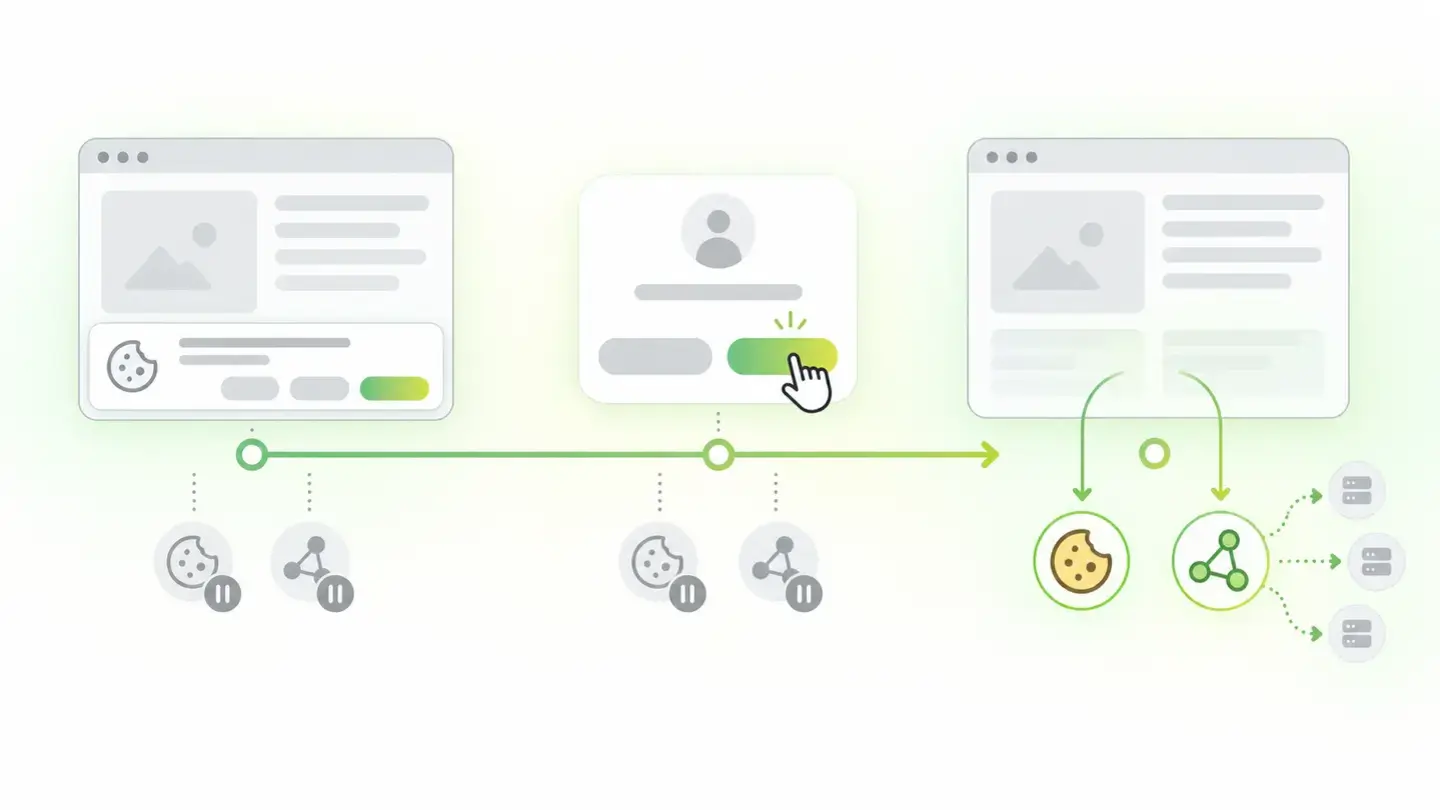
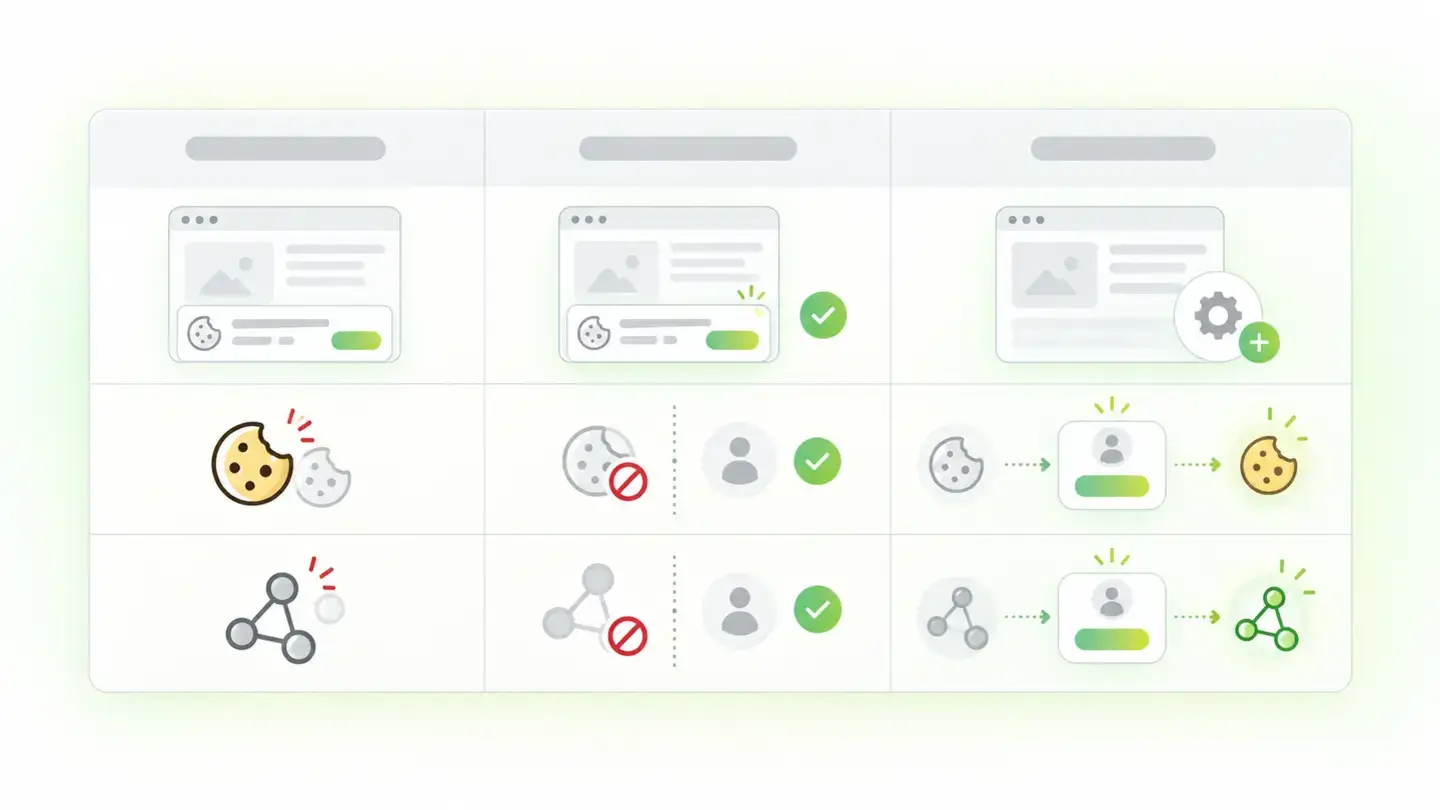
Wakaris assesses three pieces of evidence. The cookie notice: whether there’s a visible mechanism to accept or reject. Cookies before consent: how many are stored before the person has touched anything. And trackers before consent: how many third-party scripts are activated at that same moment. The threshold starts at zero: a single non-essential cookie before the decision is already a finding, and the severity grows with the number.
MDN sums up the obligation in three points: tell people the website uses cookies, let them reject some or all of them, and let them use most of the service without receiving them.
How it’s measured
Wakaris loads the URL you give it in a clean browser, with no prior cookies, and watches what happens before anyone clicks anything. In that first moment it records which cookies have appeared and which third-party requests have been sent. Then it looks for a consent mechanism on the page. From that snapshot it returns the three pieces of evidence: whether there’s a notice, how many prior cookies and how many prior trackers, with the severity of the finding.
The detail that changes the reading is timing. Many websites have a perfect notice and still fail, because analytics and advertising load at the same time as the notice, not after it’s accepted. The notice informs, but it doesn’t protect: the data has already left. That’s why Wakaris doesn’t just look for the banner, it counts what’s activated before the decision.
The measurement is on a specific page with no history. A cookie that only appears after accepting doesn’t count; what counts is what’s stored right away, without permission.
Why it matters
It matters on two fronts: legal and trust.
On the legal front, the rules covering cookies in the European Union are the GDPR together with the ePrivacy Directive, and their reach is global: they apply to any website visited by people from the European Union, wherever it’s hosted. The GDPR requires consent to be explicit and freely given, that it can be withdrawn at any time and that withdrawing it is as easy as giving it. Penalties can reach 20 million euros or 4% of worldwide annual turnover, depending on the seriousness and the size of the organization. That’s the ceiling of the risk, not the usual penalty.
On the trust front, browsers already act on their own. Firefox, Safari and Brave block tracking cookies by default, and Edge blocks trackers from sites you haven’t visited. A website that activates trackers without asking isn’t just exposed to a penalty: it loses data, because some of its visitors already arrive with those trackers blocked, and it loses credibility.
Common causes
The three pieces of evidence fail for different reasons.
When there’s no notice, the cause is usually a website that was built without one or lost it in a redesign. It also happens that a notice exists but isn’t really one: an informational message with no reject button, which informs but doesn’t ask for permission.
When there are cookies before consent, the usual culprit is the loading order. The analytics or advertising code is pasted into the template, or into a tag manager that fires everything as soon as the page loads, unconditionally. The notice comes later, when the cookie is already stored. Another common cause is CMS plugins that set their own cookies without going through consent.
When there are trackers before consent, they’re usually embedded resources nobody thinks of as trackers: third-party videos, social media buttons, maps, external fonts or chats. Each one sends requests to its server when it loads, and the visitor’s information travels with them. MDN describes the result: a third-party server can build a profile of a person’s history and habits from the cookies it receives across several sites.
How to fix it
The first thing is to know which of the three pieces of evidence fails, because the fix changes. In the report, Wakaris shows you whether the notice is missing, how many prior cookies there are and how many prior trackers.
If the notice is missing, install a mechanism that makes accepting and rejecting equally easy and lets people change their decision later.
If there are prior cookies or trackers, make loading conditional. Every analytics, advertising or social media tag must wait for the visitor’s decision and only fire if the answer is yes. Google documents two approaches for its tags: basic, which blocks them from loading until the person interacts with the notice, and advanced, which loads them with consent denied by default and without cookies. Embedded videos and maps are replaced with a preview image that only loads the real content on click.
Finally, take care of the notice itself: web.dev points out that cookie notices are a very common source of layout shifts, so reserve space for it or place it as a fixed footer.
Table with the three pieces of evidence for the finding: cookie notice, cookies before consent and trackers before consent, with their threshold and fix
Brief to generate the image
Editorial illustration for a Wakaris technical guide.
Topic: Table with the three pieces of evidence for the finding: cookie notice, cookies before consent and trackers before consent, with their threshold and fix.
Style: white background with a soft lime→pale green wash (#F8F7D6 → #E2F2DC), green→lime gradient accent (#8ED390 → #DCD86F), near-black ink (#12150B), pill shapes and rounded corners, soft shadows, clean schematic look, no photography.
Format: 16:9, 1440 pixels wide.
No legible text: any label, code or figure is shown as gray placeholder bars. The caption carries the meaning, not the image.
No real logos or third-party brands. No recognizable people.
Tags: management, consent, table, evidence, finding, notice, cookies, trackers
Ask your AI
If you want to dig into your specific case, copy one of these two prompts and paste it into the AI you use. Choose based on your situation.
I’ve already measured the finding with Wakaris and want to fix it
Act as a professional, careful web technical consultant. Your goal is to help me understand a specific finding about my website and decide what to do about it, without making anything up.

Context: I got this finding from Wakaris, a tool that analyzes a website across 9 areas (performance, SEO, security, social, market, AI, user experience, accessibility and legal) and explains each problem so that every role on a team can understand it. The finding is: Consent management. It checks three things: whether my website has a cookie notice with the option to accept and reject, how many cookies are stored in the browser before the visitor decides and how many third-party trackers are activated before that decision. Reference: notice present and zero non-essential cookies or trackers before consent.

Paste the Wakaris result here: which piece of evidence came out above its threshold, with what number, on which page and, if it says so, which cookies or third-party domains appear. If you don’t have it, tell me and I’ll tell you how to get it before we continue.

Rules you must follow at all times:

1. Don’t assume anything about my website. Every piece of data you use must come from what I confirm to you or from what Wakaris has measured. If you don’t know it, ask me before stating it.
2. Before giving me conclusions, ALWAYS ask me these questions, all together and in plain language, to find out whether this finding really affects me and where:
   a) What platform is your website built on? (WordPress, Shopify, custom-built, other)
   b) Do you have a cookie notice? If so, does it make rejecting as easy as accepting?
   c) How do you load analytics and advertising: pasted into the template, with a tag manager or with a plugin?
   d) What third-party content do you have embedded: videos, maps, social media buttons, chats, external fonts?
   e) Of the three pieces of evidence, which one came out above its threshold and with what number?
   f) Do you control the website’s code yourself, or is it managed by another person or an agency?
   g) If a technical fix is needed, would you do it yourself, an in-house technician or an agency?
3. Every statement or recommendation must be reasoned in relation to MY context, not in general. If you recommend something, explain why it applies to my case.
4. Always state your level of certainty. If something is a hypothesis because you can’t measure it, say so: you can’t see my website, you’re reasoning from what I tell you. And remind me that you’re not a legal advisor: if I need a legal assessment, I should consult a professional.
5. Don’t suggest irreversible or risky technical changes (server configuration, deleting resources, direct changes in production) without first warning me about the risk and that a backup or a test environment is advisable.
6. If you need a piece of data that can only be obtained by measuring the website (confirming which cookies are stored before consent, or whether the fix worked), tell me and recommend that I run the page through Wakaris again: that gets measured, not guessed.
7. The final decision is mine, not yours. Your role is to help me understand and prepare the action, not to decide for me.
8. If the fix goes beyond what I can do myself, or a team is going to carry it out, help me get the problem ready to hand over: what it is, where it is, why it matters and what should be done, in an actionable format for that person.

Source of this finding: https://www.wakaris.com/en/guides/legal/consent-management
To measure it or measure it again: https://www.wakaris.com/

Start by briefly introducing yourself in your role and asking me the first set of questions.
I haven’t measured it yet and want to check whether my website has this problem
Act as a professional, careful web technical consultant. I’m looking into whether my website has a specific problem and I want you to help me find out honestly, without taking it for granted.

Context: I came to this through Wakaris, a tool that analyzes a website across 9 areas (performance, SEO, security, social, market, AI, user experience, accessibility and legal) and explains each problem so that every role on a team can understand it. The problem I want to look into is: Consent management. It’s when the website stores cookies or activates third-party trackers before the visitor has accepted, or doesn’t have a cookie notice with an option to reject. Reference: notice present and zero non-essential cookies or trackers before consent. I DON’T know yet whether my website has it: I want to find out.

Rules you must follow at all times:

1. First and most important: cookies and trackers before consent are MEASURED by watching the real page load, and you can’t measure my website from this conversation. Make it clear from the start that you won’t be able to give me a definitive "yes, you have it" or "no, you don’t", only a hypothesis based on what I tell you.
2. Don’t assume anything. Before giving me any assessment, ALWAYS ask me these questions, all together and in plain language, to estimate whether I’m likely to have the problem:
   a) When you visit your website for the first time, does a cookie notice appear? Does it have a reject button, or only accept?
   b) Do you use web analytics, advertising or social media pixels? Do you know whether they wait for the visitor to accept or always load?
   c) Do you have embedded third-party content: videos, maps, share buttons, chats, external fonts?
   d) Who installed the cookie notice and the analytics tools: you, a CMS plugin or an agency?
   e) What platform is your website built on? (WordPress, Shopify, custom-built, other; or I don’t know)
   f) Have you changed anything on the website in recent months: a redesign, a new plugin, an advertising campaign?
3. Based on my answers, give me a clear estimate of whether it’s LIKELY or UNLIKELY that I have it, and which of the three pieces of evidence would be the suspect, reasoned from what I’ve told you and explicitly marked as a hypothesis, not a diagnosis.
4. Tell me directly that the only way to know for sure is to measure it, and that I can do it for free and without creating an account by running my website through Wakaris, which will give me whether there’s a notice, how many cookies and trackers are activated before consent and, along the way, the state of the other areas.
5. If I ask you how to check it by hand, don’t hide it from me, but remind me that Wakaris does it faster, on the real page and with additional information I don’t get by hand.
6. If measuring it shows that I do have it, tell me the next step is to understand how it affects me and how to fix it in my specific case, and that for the legal side I should consult a professional.
7. The conclusion and the decision are mine, not yours. You help me find my way.

Source of this finding: https://www.wakaris.com/en/guides/legal/consent-management
To measure it: https://www.wakaris.com/

Start by briefly introducing yourself in your role, making point 1 clear, and asking me the set of questions.
Frequently asked questions
Is having a cookie notice enough? +
No. The notice informs, but the finding also measures what happens before the visitor decides. If analytics or advertising load at the same time as the notice, the cookies are already stored by the time the person reads the message. The notice has to come with loading that depends on the answer.
Which cookies can be stored without consent? +
Those strictly necessary to provide the service the person asked for: the session cookie, the cart cookie, the one that remembers the language or the cookie choice itself. Everything else, including analytics, advertising and social media, needs prior permission. Wakaris counts the non-essential ones that appear before the decision.
What penalty can non-compliance bring? +
According to MDN’s documentation on the GDPR, fines can reach 20 million euros or 4% of worldwide annual turnover for the previous financial year, and they vary with the seriousness of the infringement and the size of the organization. They’re the ceiling for the most serious cases, not the usual penalty, but they show the risk.
Why did my analytics drop after fixing this finding? +
Because before you measured everyone, with or without permission, and now only those who accept. The drop isn’t a loss of visitors but the difference between what you measured without the right to and what you can measure with it. Google documents a mode that sends cookieless measurements when permission is denied, to narrow that gap.
Sources cited
- developer.mozilla.orgGDPR, MDN Web Docs: scope of the GDPR, consent requirements and size of the penalties.
- developer.mozilla.orgUsing HTTP cookies, MDN Web Docs: the rules covering cookies, their global reach and the three requirements.
- developer.mozilla.orgThird-party cookies, MDN Web Docs: third-party cookies, browsing profiles and default blocking in browsers.
- developers.google.comConsent mode overview, Google for Developers: how tags behave depending on consent, basic and advanced modes.
- web.devBest practices for cookie notices, web.dev: cookie notices as a common source of layout shifts.

Updated: September 7, 2026.
This article is part of Wakaris, which analyzes your website across 9 areas and explains each finding so that every role on your team can understand it.