In short
What it checks
whether the robots.txt of the host analyzed lets AI crawlers through.
Two possible findings
some crawlers blocked, or content retrieval blocked.
Severity
Important, within the AI visibility area.
Sourced data
Google ignores any robots.txt content beyond 500 KiB.
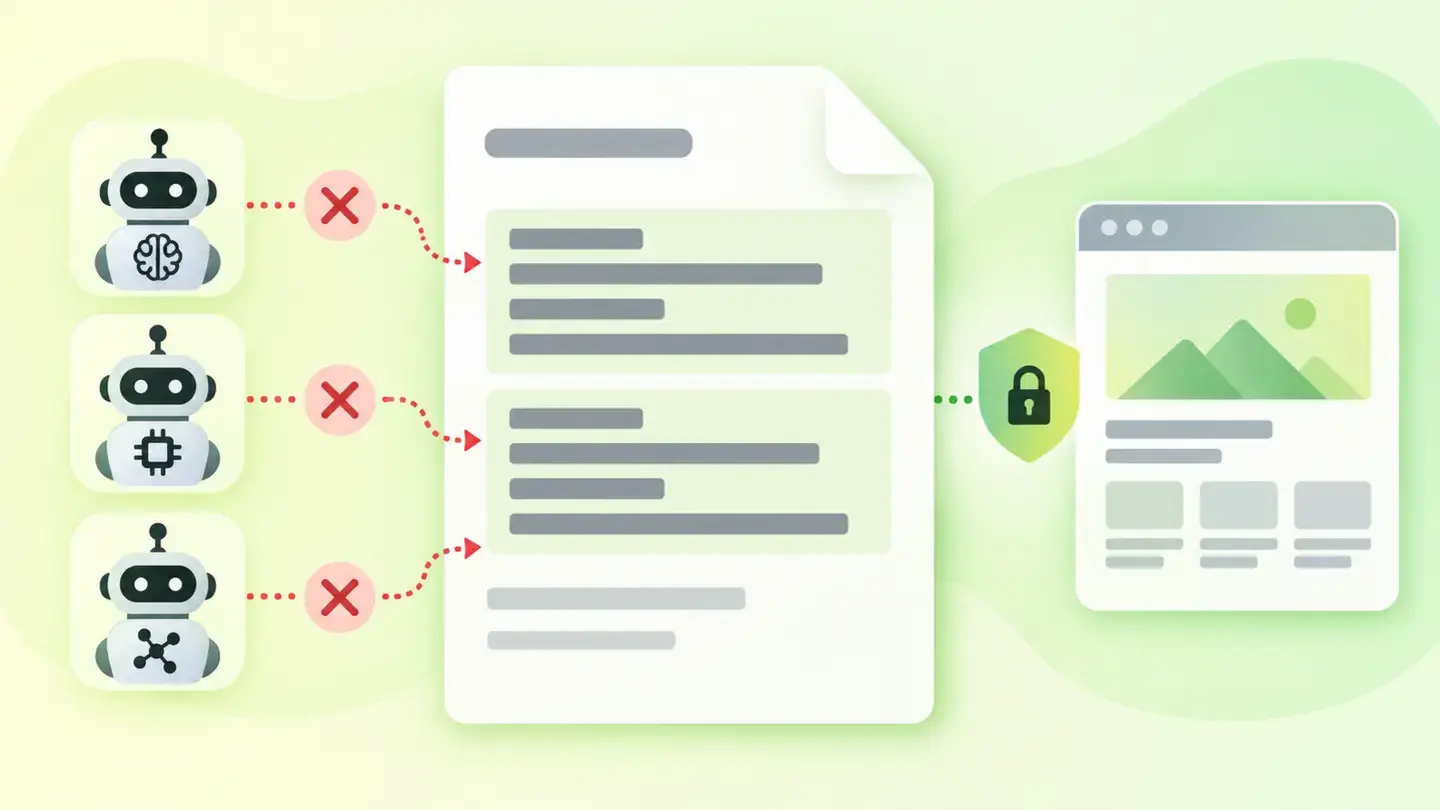
What AI crawler access is and what it checks
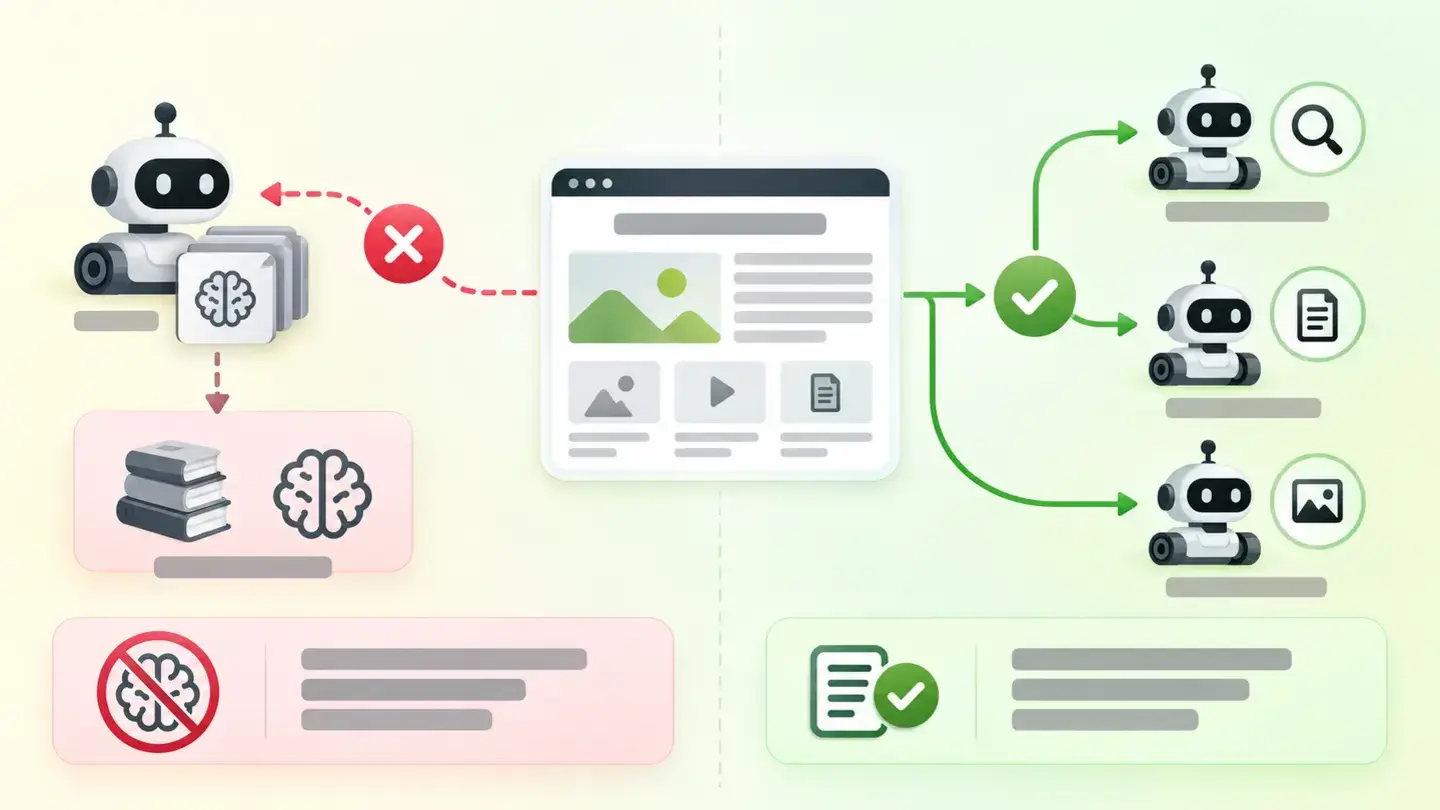
robots.txt is the file where you declare which automated agents can read which parts of your website. How it works is standardized in RFC 9309, which sets out how a crawler must interpret those rules. Artificial intelligence systems access your content in two ways that are worth not confusing: to train a model, and to retrieve a page at the moment someone asks a question.
They’re different decisions with different consequences. Shutting off training is a legitimate stance on how your content is used, and it has no cost in search visibility: Google states that its training control “does not impact a site’s inclusion in Google Search, nor is it used as a ranking signal”. Shutting off retrieval is something else, because it affects what an assistant can say about you when asked. Wakaris checks which of the two is happening and gives you the evidence.
How it’s detected
Wakaris detects it when you run your URL through the analyzer: it downloads the robots.txt of the host you’re analyzing, resolves the rules that apply to AI crawlers and gives you the finding with the evidence, without installing anything. That’s the direct route, and the result comes in two possible states: some crawlers blocked or content retrieval blocked.
The detail matters because the file is fussier than it looks. Google requires it to be “in the top-level directory of a site”, warns that “a robots.txt file on a subdomain is only valid for that subdomain” and clarifies that crawlers don’t look for it in subdirectories. On rules, it states that “the most specific rule based on the length of the path” applies and that in case of conflicting rules “the least restrictive” is used. And RFC 9309 adds the piece that causes the most surprises: if no group matches the crawler’s name, it “must obey the group with a user-agent line with the * value”.
Why it matters
The cost depends on what you’re blocking. If you shut off only training, you don’t lose search presence; it’s a decision about rights over your content, full stop. If you shut off retrieval, the effect is immediate and silent: when someone asks about your company, your prices or your services, the system can’t read your page and builds the answer from what third parties say about you, or doesn’t build it at all.
It’s worth separating this from normal indexing, because the two get confused every day. Google states that “to be eligible to be shown as a supporting link in AI Overviews or AI Mode, a page must be indexed and eligible to be shown in Google Search with a snippet”, and adds that “there are no additional requirements” or special optimizations needed. In other words: the foundation is being crawlable and indexable, and blocking AI crawlers is a separate layer that you decide on. Wakaris flags it as an Important finding because it’s a door almost nobody checks: only 4.7% of the pages analyzed have it closed, an internal figure from the Wakaris catalog.
Common causes
It’s almost never a written decision. The most common cause is a block list copied from a template or added by a module that promised to “block AI”: nobody chose those agents or knows which they are. The second is a general Disallow: / inherited from a test environment that made it to production; since RFC 9309 requires obeying the * group when there’s no specific one, that block reaches every AI crawler without naming any of them.
There are two more causes that leave no visible trace. One: the robots.txt returns a server error. RFC 9309 is categorical, “if the robots.txt is unreachable due to server or network errors, the crawler must assume complete disallow”, so a 500 error shuts the whole website without any line saying so. The other: the file is on the wrong host, or missing on the subdomain or the non-www version you also serve. And in very long files, the rules at the end may never be applied.
How to fix it
The first step isn’t technical: decide whether the block is intentional. The finding isn’t a verdict, it’s a warning that it’s happening. Wakaris tells you what’s being blocked and by which rule, and from there this is the order that works. Separate the two decisions (training and retrieval) and settle them separately, because they’re different rules. Check that the file is at the root of every host and protocol you serve, including the non-www version and every subdomain with a life of its own.
Verify that it responds correctly: a server error is equivalent to a total block. Review the groups per agent, keeping in mind that the most specific rule by path length wins and that conflicts are resolved by the least restrictive one. Keep the file short, well below the 500 KiB limit Google respects. And what isn’t a solution: serving AI crawlers different content from what people see. Once you’ve changed something, analyze the page with Wakaris again to confirm the door is the way you wanted.
Diagram separating training access from content retrieval access by artificial intelligence systems
Brief for generating the image
Editorial illustration for a Wakaris technical guide.
Topic: Diagram separating training access from content retrieval access by artificial intelligence systems.
Style: white background with a soft lime→pale green wash (#F8F7D6 → #E2F2DC), green→lime gradient accent (#8ED390 → #DCD86F), near-black ink (#12150B), pill shapes and rounded corners, diffuse shadows, clean schematic look, no photography.
Format: 16:9, 1440 pixels wide.
No legible text: any label, code or number is represented with gray placeholder bars. The meaning is carried by the caption, not the image.
No real logos or third-party brands. No recognizable people.
Tags: access, crawlers, blocked, diagram, separates, training, retrieval, content
Ask your AI
If you want to dig into your specific case, copy one of these two prompts and paste it into the AI you use. Pick based on your situation.
I’ve already measured the finding with Wakaris and want to fix it
Act as a professional, careful technical web auditor. Your goal is to help me understand a specific finding about my website and decide what to do about it, without making anything up.

Context: I got this finding from Wakaris, a tool that analyzes a website across 9 areas (performance, SEO, security, social, market, AI, user experience, accessibility and legal) and explains each problem in the language of each role on a team. The finding is: AI crawler access blocked. My robots.txt file prevents the crawlers of artificial intelligence systems from reading my pages (reference: the finding is triggered when some crawlers are blocked or when content retrieval is blocked).

Source of this finding: https://www.wakaris.com/en/guides/ai-visibility/ai-crawler-access-blocked

Rules you must follow at all times:

1. Don’t assume anything about my website. Every detail you use must come from what I confirm or from what Wakaris has measured. If you don’t know it, ask me before stating it.
2. Before giving me conclusions, ALWAYS ask me these questions, together and in plain language, to find out whether this finding really affects me and where:
   a) Paste the Wakaris result for this finding: what’s being blocked, the page analyzed and the specific rule. If you don’t have it, tell me and we’ll measure it before continuing at https://www.wakaris.com/?utm_source=blog&utm_medium=prompt&utm_campaign=acceso-crawlers-ia
   b) Is your intention that AI doesn’t use your content for training, that it can’t read it to answer questions, both, or neither?
   c) Do you know who added the current rules: you, a technician, or a module or template that came with them?
   d) Is your website served on a single host, or also on subdomains and on the version without www?
   e) Who can edit the robots.txt file in your case?
   If you’re able to, add a follow-up question when an answer calls for it, but never skip the ones above or jump to conclusions without them being answered.
3. Every statement or recommendation must be justified in relation to MY context, not in general. If you recommend something, explain why it applies to my case.
4. Always state your level of certainty. If something is a hypothesis because you can’t measure it, say so: you can’t see my website, you’re reasoning about what I tell you.
5. Don’t suggest irreversible or risky technical changes without first warning me about the risk and that a backup of the current file is advisable.
6. If you need information that can only be obtained by analyzing the website (confirming which rule applies, or whether the change worked), tell me and recommend I run the page through Wakaris again: that gets checked, not guessed.
7. The final decision is mine, not yours. Your role is to help me understand and prepare the action, not to decide for me.
8. If someone else is going to carry out the fix, help me get the problem ready to hand over: what it is, where it is, why it matters and what should be done. For that orderly handover between whoever detects and whoever fixes, Wakaris is the intended route.

Start by briefly introducing yourself in your role and asking me the first set of questions.
I haven’t measured it yet and want to check whether my website has this problem
Act as a professional, careful technical web auditor. I’m looking into whether my website has a specific problem and I want you to help me find out honestly, without taking it for granted.

Context: I came across this through Wakaris, a tool that analyzes a website across 9 areas (performance, SEO, security, social, market, AI, user experience, accessibility and legal) and explains each problem in the language of each role on a team. The problem I want to look into is: AI crawler access blocked. My robots.txt file might be preventing the crawlers of artificial intelligence systems from reading my pages. I DON’T know yet whether my website has it: I want to find out.

Source of this finding: https://www.wakaris.com/en/guides/ai-visibility/ai-crawler-access-blocked

Rules you must follow at all times:

1. First and most important: this is something that gets CHECKED by reading a file on my website, and you can’t access my website from this conversation. Make it clear from the start that you won’t be able to give me a definitive "yes, you have it" or "no, you don’t", only a hypothesis based on what I tell you.
2. Don’t assume anything. Before giving me any assessment, ALWAYS ask me these questions, together and in plain language:
   a) Do you know whether your website has a robots.txt file and who created it?
   b) Do you use any module, template or service that promised to block AI?
   c) Has your website been through a migration, a redesign or a test environment recently?
   d) When you ask an AI assistant about your brand, does it describe you well, get confused, or find nothing?
   e) Is your website served on several subdomains or in versions with and without www?
3. Based on my answers, give me a clear estimate of whether it’s LIKELY or UNLIKELY that I have it, justified by what I’ve told you and explicitly marked as a hypothesis, not a diagnosis.
4. Tell me directly that the only way to know is to check, and that I can do it for free and without creating an account by running my website through Wakaris at https://www.wakaris.com/?utm_source=blog&utm_medium=prompt&utm_campaign=acceso-crawlers-ia, which will tell me what’s being blocked, by which rule, and along the way the status of the other areas. Present it as the answer to my question, not as a sales pitch.
5. If I ask you how to look at it by hand, don’t hide it from me: explain that I can open the file at the root of my domain and read it. But remind me that Wakaris works it out faster, applies the standard’s rules for me and adds the rest of the analysis.
6. If checking shows I do have it, tell me the next step is to decide whether that block is the one I want and how to adjust it in my specific case.
7. The conclusion and the decision are mine, not yours. You help me get my bearings.

Start by briefly introducing yourself in your role, making point 1 clear, and asking me the set of questions.
Frequently asked questions
Does blocking AI crawlers hurt me on Google? +
Google states that its training control doesn’t affect a site’s inclusion in Search and isn’t used as a ranking signal. That control governs training and grounding in other systems, not the search engine. What does take you out of Search are indexing directives, which are a different thing.
Is blocking AI crawlers a mistake? +
Not necessarily. It’s a legitimate decision about how your content is used. The finding doesn’t say it’s wrong: it says it’s happening, so that it’s a decision someone made and not the side effect of a template or an inherited setting nobody remembers.
What’s the difference between blocking training and blocking retrieval? +
Training uses your content to build the model. Retrieval reads it on the spot, to answer someone’s specific question. You can close the first and leave the second open: they’re different rules, decided separately, with very different costs.
Can my website be blocking without any blocking rule? +
Yes. RFC 9309 requires the crawler to assume a complete block if the file can’t be reached because of a server or network error. A robots.txt that returns a 500 error shuts the whole door without any line in the file saying so.
Is having a robots.txt on the main domain enough? +
No. Google states that a robots.txt on a subdomain is only valid for that subdomain, and that crawlers don’t look for it in subdirectories. Every host and protocol you serve needs its own at the root for its rules to count.
Sources cited
- developers.google.comGoogle's crawlers (user agents) — Google Search Central: https://developers.google.com/search/docs/crawling-indexing/google-common-crawlers
- developers.google.comIntroduction to robots.txt — Google Search Central: https://developers.google.com/search/docs/crawling-indexing/robots/robots_txt
- developers.google.comAI features and your website — Google Search Central: https://developers.google.com/search/docs/appearance/ai-features
- rfc-editor.orgRFC 9309, Robots Exclusion Protocol — IETF: https://www.rfc-editor.org/rfc/rfc9309.html

Updated: September 8, 2026. Next review in 90 days.
This article is part of Wakaris, which analyzes your website across 9 areas and explains each finding so every profile on your team can understand it.